🔥 3D Printer Black Friday Deals: picks worth watching →
You have a vivid imagination and a desire to bring colorful creations to life. Single-color prints feel limiting, yet you worry about the complexity and cost of multi-color 3D printers. This guide reviews the best 3D printer with multiple colors for 2026 to help you find a machine that fits your skill level, budget, and creative goals. We have assessed seven top models from leading brands like Bambu Lab, Creality, and Flashforge, focusing on print quality, speed, color capabilities, and ease of use. Whether you are a beginner, educator, or small business owner, this article will help you make an informed decision. For a broader view of industrial-grade options, check out our guide on the best industrial 3D printer for large-scale manufacturing.





What will your print cost? Use our filament cost calculator.
Buying Guide: What to Look for in a Multi-Color 3D Printer
Color Capabilities and Expandability
The number of colors a printer can handle directly impacts your creative freedom. Entry-level multi-color printers typically support 4 to 7 colors out of the box. Some models, like the Anycubic Kobra S1 ACE 2 Pro and Creality K2 Pro, allow expansion up to 16 colors by adding more filament units. Consider how many colors you truly need for your projects. If you plan to print detailed prototypes or vibrant toys, a system with expandable color options offers better long-term value. For more insights on choosing the right setup, read our comparison of creality vs revopoint.
Print Speed and Build Volume
Speed matters when you are producing multiple parts or large models. Most modern multi-color 3D printers use a CoreXY motion system that delivers speeds of 500 mm/s or higher, with acceleration up to 20,000 mm/s². A larger build volume, such as 300 x 300 x 300 mm, allows you to print bigger objects or batch smaller parts in one go. Faster printing and a larger volume reduce wait times and increase productivity, whether you are a hobbyist or a small business. For beginners, a best 3D printer kit can simplify the learning curve.
Ease of Use and Smart Features
Multi-color printing can be complex, but modern printers include features that simplify the process. Look for auto-leveling, automatic filament feeding, and AI-powered error detection. These features reduce setup time and prevent failed prints, saving you filament and frustration. A user-friendly interface, such as a touchscreen or mobile app, makes it easier to monitor and control prints remotely. If you plan to print flexible materials, consider our best 3D printer for TPU guide for specialized recommendations.
Material Compatibility and Waste Reduction
Not all multi-color printers handle the same materials. Some are optimized for PLA, PETG, and TPU, while others can print with engineering filaments like ABS, ASA, or even carbon-fiber composites. Waste reduction is another key factor. Systems that swap toolheads instead of purging filament between color changes can cut waste by up to 5X. This not only saves money but also reduces downtime, making the printer more efficient for batch production. For a detailed look at speed-focused models, see the flashforge adventurer 5M vs bambu lab A1 comparison.
Final Thoughts
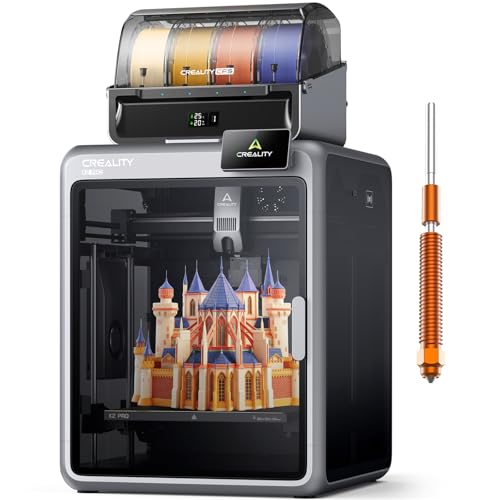
After reviewing seven of the best multi-color 3D printers for 2026, we recommend the FLASHFORGE AD5X Multi-Color 3D Printer for its exceptional speed, 4-color capability, and user-friendly features at a competitive price point, making it ideal for both beginners and experienced makers. For professionals or those needing maximum color flexibility and a large build volume, the Creality K2 Pro Combo (A) 3D Printer stands out with its expandable 16-color system, active chamber heating, and dual AI cameras that ensure reliable, high-quality prints. Both options deliver outstanding value and performance, so choose the one that best aligns with your creative ambitions and workflow.
Frequently Asked Questions
How many colors can a multi-color 3D printer print at once?
Most multi-color 3D printers support 4 to 7 colors out of the box. Some models, like the Anycubic Kobra S1 ACE 2 Pro and Creality K2 Pro, can be expanded to print up to 16 or even 19 colors by adding extra filament units or toolheads. Always check the expandability options before buying.
Are multi-color 3D printers hard to use for beginners?
Not at all. Many modern multi-color 3D printers include features like auto-leveling, automatic filament loading, and AI-powered error detection to simplify the process. Models like the Anycubic Kobra X Combo and Creality K2 SE 4C are designed with beginners in mind and can be set up in minutes. For a step-by-step guide, see our best 3D printer kit article.
What materials can I use with a multi-color 3D printer?
Most multi-color printers work well with PLA, PETG, TPU, and PVA. Higher-end models like the Snapmaker U1 and Creality K2 Pro also support ABS, ASA, PC, and even carbon-fiber composites. Always verify material compatibility with your specific printer before purchasing filament.
How fast can a multi-color 3D printer print?
Multi-color 3D printers using CoreXY motion systems can reach speeds of 500 mm/s to 600 mm/s with acceleration up to 20,000 mm/s². This makes them significantly faster than traditional cartesian printers, reducing print times for multi-color projects by up to 5X compared to older systems.