

🔥 Laser Engraver Black Friday Deals for 2026: picks worth watching →
You have a stack of beautiful maple cutting boards that need a personal touch, but your current methods are slow or inconsistent. Finding the best laser engraver for cutting boards means choosing a machine that delivers crisp details on wood, handles various sizes, and fits your workspace. This guide reviews seven top models from Creality, ATOMSTACK, xTool, and more to help you make the right choice.
Whether you are a small business owner or a hobbyist, the right engraver can turn plain boards into custom gifts or market-ready products. For more on specialized engraving, check out our best laser engraver for leather patches guide.


Buying Guide
Laser Power and Material Compatibility
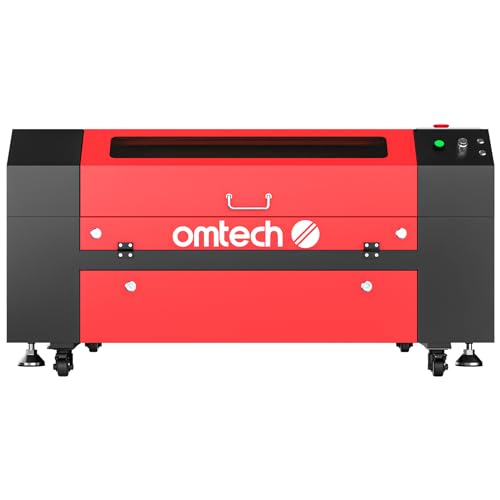
Cutting boards are typically made of hardwoods like maple, walnut, or cherry. A laser with sufficient power ensures clean engravings without charring. For most cutting boards, a 20W to 40W diode laser is ideal, while thicker boards may benefit from a 60W CO2 laser like the OMTech 60W CO2 Laser Engraver. Check our OMTech 60W CO2 laser engraver review for deeper insights.
Higher wattage allows for faster passes and deeper cuts, which is useful if you plan to cut board shapes or add intricate patterns. Always verify the laser can handle the specific wood type you use most.
Work Area Size and Enclosure
Cutting boards vary in size from small cheese boards to large butcher blocks. A machine with a spacious work area, such as the OMTech’s 20″x28″ bed, can accommodate larger items without repositioning. Enclosed designs like the Creality Falcon2 Pro S 40W Laser Engraver offer Class 1 safety, reducing fumes and protecting users.
For small shops, a compact unit like the Acmer S2 20W Laser Engraver provides a 300x285mm area in a lightweight frame. Consider your typical board dimensions before deciding.
Ease of Use and Software
User-friendly features like auto-focus, camera positioning, and intuitive software save time. The Creality Falcon A1C Laser Engraver Machine 10W includes a smart AI camera for automatic material recognition, ideal for beginners. For experienced users, the ATOMSTACK 48W Laser Engraver offers a one-key switch between engraving and cutting modes.
Compatibility with design software is key. Many machines work with LightBurn or LaserGRBL, while some offer proprietary apps. If you work with felt hats or Yeti cups, see our best laser engraver for felt hats and best laser engraver for yeti cups guides.
Safety and Ventilation
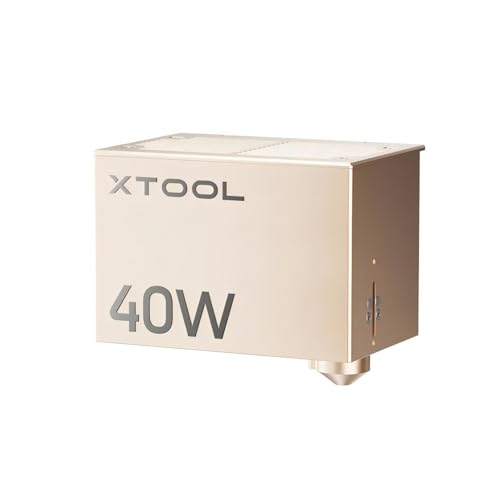
Engraving wood produces smoke and fumes. Enclosed machines with air assist and filtration systems are safer for indoor use. The xTool S1 40W Laser Module for xTool S1 Laser and the Creality Falcon2 Pro S include fire sensors and emergency stops. For larger projects, a CO2 laser like the OMTech 60W requires external ventilation, as covered in our CO2 laser cutters category.
Final Thoughts
For most cutting board engraving, the Creality Falcon2 Pro S 40W Laser Engraver offers a balanced mix of speed, safety, and precision, while the Acmer S2 20W Laser Engraver is a budget-friendly alternative that still delivers excellent detail. Both machines handle hardwoods well and come with supportive software, making them top choices for custom board work.
Frequently Asked Questions
Can I use a diode laser engraver on all types of wood?
Diode lasers work well on light-colored hardwoods like maple and birch, but they struggle with dark or oily woods like walnut or teak. For consistent results on varied woods, a CO2 laser is more versatile. Check our fiber lasers page for alternatives.
What safety precautions do I need for laser engraving cutting boards?
Always use a machine with an enclosed design and proper ventilation. Wear safety glasses rated for the laser wavelength, and never leave the machine unattended during operation. Most modern engravers include automatic shutoff features.
How long does it take to engrave a standard cutting board?
Engraving time depends on the design complexity and laser power. A simple logo on a 12×18 inch board with a 20W laser takes about 10 to 20 minutes. Higher wattage machines like the 40W models can cut that time in half.
Is it safe to engrave cutting boards that will be used for food?
Yes, as long as you use food-safe finishes after engraving. The laser burns the wood, creating a carbonized surface that is inert. Seal the engraved area with mineral oil or beeswax to protect it from moisture and bacteria.





