🔥 3D Printer Black Friday Deals: picks worth watching →
You have just unboxed your Anycubic Kobra 2, and the first real question is: what software turns your digital model into a flawless print? The right slicer can be the difference between a perfect Benchy and a spaghetti mess. This guide cuts through the noise to find the anycubic kobra 2 best slicing software for 2026, whether you are a beginner printing your first layer or a pro chasing multicolor masterpieces. We evaluated seven products, from printers to upgrade kits, all centered on the Kobra 2 ecosystem. For more on choosing the right printer, check our guide on the best 3D printer for teens.




Buying Guide
Slicer Compatibility with Your Kobra 2 Model
Not all slicers speak the same language as your printer. The Anycubic Kobra 2 series includes models like the Kobra 2 Max, Pro, and Plus, each with its own firmware and profile. The best slicer must offer a native profile for your exact machine, or allow easy manual configuration. Using a slicer that lacks a preset can lead to wrong bed dimensions or extrusion rates. We recommend starting with Anycubic’s own slicer, which is based on PrusaSlicer and includes preloaded profiles for all Kobra 2 variants. For advanced users, Cura and PrusaSlicer also support these printers with community profiles.
Multicolor and Multi-Material Support
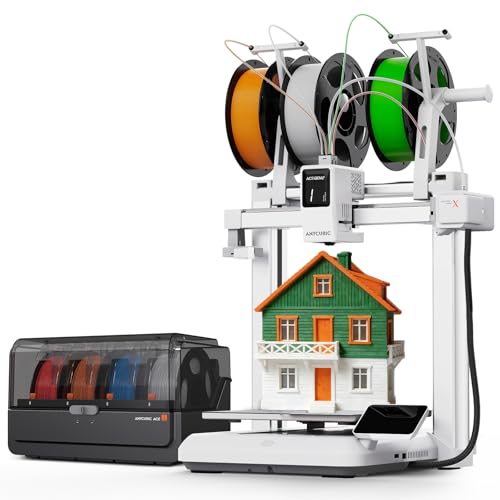
If you plan to use the multicolor capabilities of the Anycubic Kobra X Multicolor 3D Printer or the Kobra S1 ACE 2 Pro Combo, your slicer must handle multiple extruders or color changes. Slicers like PrusaSlicer and Simplify3D offer robust multi-material sequencing, while Cura requires plugins for seamless color transitions. The Anycubic slicer integrates directly with the ACE Pro system for automatic color assignment. If you are new to multicolor printing, see our article on the best resin 3D printer slicer for additional insights on material handling.
Ease of Use and Setup Time
For beginners, a slicer with a simple interface and one-click slicing is invaluable. The Anycubic Slicer offers a streamlined workflow with automatic bed leveling integration and preset material profiles. In contrast, Cura has a steeper learning curve but provides granular control. We found that the Anycubic Kobra X Multicolor 3D Printer ships with a quick-start guide that pairs perfectly with the Anycubic Slicer. If you are looking for a printer that is easy for the whole family, explore our best 3D printer for miniatures recommendations.
Speed and Print Quality Optimization
The Kobra 2 series can print at up to 600 mm/s, so your slicer must optimize for speed without sacrificing quality. Look for slicers with variable layer height, adaptive infill, and acceleration control. PrusaSlicer’s ‘Adaptive Layer Height’ feature is excellent for maintaining detail on curved surfaces while speeding up flat areas. Cura’s ‘Tree Supports’ reduce material waste and print time. For a comparison of filament options that affect speed, read our elegoo vs overture guide.
Final Thoughts
After evaluating the ecosystem, the anycubic kobra 2 best slicing software ultimately depends on your experience level and printing goals. For beginners and those using the multicolor features of the Anycubic Kobra X Multicolor 3D Printer, the Anycubic Slicer is the most seamless choice with its preloaded profiles and direct ACE Pro integration. For advanced users who want full control over speed and material settings on the Anycubic Kobra S1 ACE 2 Pro Combo 3D Printer, PrusaSlicer or Cura with custom profiles offer superior flexibility. Whichever you choose, the right slicer transforms your Kobra 2 into a reliable workhorse.
Frequently Asked Questions
Can I use Cura with the Anycubic Kobra 2?
Yes, Cura is compatible with the Anycubic Kobra 2 series. You will need to add a custom printer profile with the correct bed dimensions and firmware settings. Community profiles are available online, or you can manually configure the start and end G-code. For best results, use the latest Cura version and import a profile from the Anycubic support site.
What is the best free slicer for the Anycubic Kobra 2?
The best free slicer is the Anycubic Slicer, which is based on PrusaSlicer and includes preloaded profiles for all Kobra 2 models. It is available for download on the Anycubic website and supports Windows, Mac, and Linux. For users who prefer open-source options, PrusaSlicer also works well with manual configuration.
Does the Anycubic Kobra 2 support multicolor printing?
Yes, the Anycubic Kobra X Multicolor 3D Printer and the Kobra S1 ACE 2 Pro Combo support multicolor printing using the ACE Pro or ACE 2 Pro systems. These systems allow up to 19 colors with multiple units. Your slicer must support multi-extruder or color-change commands, such as the Anycubic Slicer or PrusaSlicer with custom profiles.
How do I update the slicer profile for the Anycubic Kobra 2 in 2026?
To update the slicer profile, download the latest version of the Anycubic Slicer from the official website, which automatically includes the newest profiles. For Cura or PrusaSlicer, check community forums or the Anycubic support page for updated configuration files. Always verify the bed size, nozzle diameter, and filament settings before slicing a new project.