

Imagine you have a broken vintage car part, a unique sculpture, or a custom mechanical component that you need to replicate in 3D. You could spend hours manually measuring and modeling it in CAD, or you could use a 3D scanner to capture its geometry in minutes. The Creality Otter Lite Basic is designed for exactly this scenario, offering a portable and precise solution for hobbyists, engineers, and makers. In this review, we will examine the Creality Otter Lite Basic’s features, performance, and how it compares to other options in the growing handheld 3D scanner market. For a broader look at the Otter Lite family, check out our full creality otter lite 3D scanner review.




Buying Guide
Scanning Accuracy and Resolution
The most critical factor in any 3D scanner is its ability to capture fine details. The Creality Otter Lite Basic boasts a 0.05mm high precision, which is excellent for capturing intricate features on small objects like jewelry, figurines, or mechanical parts. This level of accuracy ensures that your digital model faithfully represents the original, minimizing post-processing work. For larger items, the scanner’s dual-mode system (close-range and long-range) maintains this precision across different scales, from a 20mm screw to a 1.5-meter sculpture.
Portability and Ease of Use
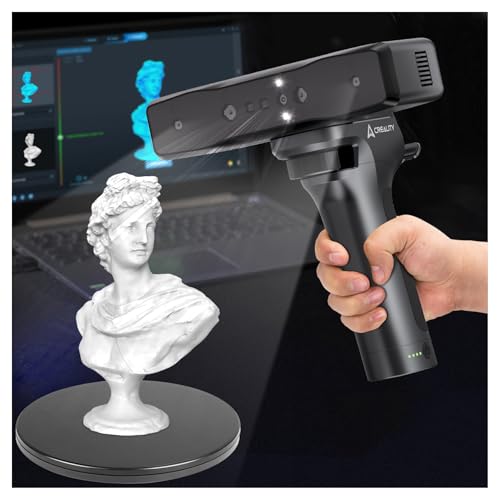
If you plan to scan objects in different locations, a lightweight and self-contained scanner is essential. The Creality Otter Lite Basic weighs only 235 grams and comes with a carrying case, turntable, and calibration board. Its plug-and-play design via USB 3.0 means you can set up quickly without complex configuration. For users who need true wireless freedom, the Creality Otter Lite Wireless 3D Scanner models offer Wi-Fi 6 connectivity and a built-in battery, but the Basic version remains a highly portable and cost-effective choice for desktop use.
Color Texture Capture and Software
For applications like animation, VR, or archiving, capturing full-color textures is as important as geometry. The Otter Lite Basic uses RGB and infrared cameras to record true-to-life colors at up to 30 fps, exporting in OBJ, STL, or PLY formats. The included Creality Scan software is free for life and offers one-click model processing, point cloud editing, and tutorials. This software ecosystem is a major advantage, as it eliminates recurring subscription fees and streamlines the workflow from scan to 3D print. For a comparison with other professional tools, see our creality raptor pro 3D scanner review.
Object Size Versatility
Not all scanners handle a wide range of object sizes well. The Otter Lite Basic excels here with its quad-lens system, which includes both long-focus and short-focus lenses. This allows it to scan objects as small as 20mm x 20mm x 20mm (like a coin or a gear) and as large as 2 meters (like a chair or a car tire). This versatility makes it a single-device solution for diverse projects, from reverse engineering small components to digitizing larger artifacts. For scanning even larger objects, you might consider the revopoint MIRACO plus 3D scanner review for its all-in-one design.
Final Thoughts
After evaluating the Creality Otter Lite Basic, we are impressed by its balance of precision, portability, and user-friendly design. It is an excellent entry point for anyone needing to digitize objects for 3D printing, reverse engineering, or digital archiving. For users who prioritize a wired, cost-effective solution with high accuracy, we recommend the Creality Otter Lite Basic 3D Scanner for 3D. If you require wireless freedom and a longer battery life for on-the-go scanning, the Creality Otter Lite Wireless 3D Scanner is a worthy upgrade that offers the same core scanning capabilities with added flexibility.
Frequently Asked Questions
Can the Creality Otter Lite Basic scan dark or reflective surfaces? Yes, it can scan black and metal objects without the need for a scanning spray, thanks to its advanced structured light technology. This saves time and avoids contamination of the original object.
What computers are compatible with the Otter Lite Basic? The scanner works with both Windows and macOS via USB 3.0 or USB 2.0. The Creality Scan software is compatible with most modern systems, and the package includes USB-C adapters for added flexibility.
How long does it take to scan an object with the Otter Lite Basic? Scan time varies by object size and complexity, but the 30 fps capture rate allows for quick handheld scanning. For small objects, a full 360-degree scan can take as little as a few minutes, while larger items may require 10-15 minutes. For a comparison with other fast scanners, see our Best 3D Scanner for Bambu Lab in 2026 guide.
What file formats does the scanner export? The Creality Otter Lite Basic exports 3D models in OBJ, STL, and PLY formats, which are widely supported by 3D printing slicers, CAD software, and 3D modeling applications.


