🔥 3D Printer Black Friday Deals: picks worth watching →
If you are searching for a compact, beginner-friendly laser engraver that delivers professional results without a steep learning curve, the Wizmaker Wand Mini series deserves your attention. This Wizmaker Wand Mini review covers the 2.5W, 3.5W, and 7W models, helping you choose the right power level for your projects. Whether you are a DIY enthusiast crafting personalized gifts, a small business owner scaling up production, or a teacher introducing STEM concepts, these pre-assembled machines offer a plug-and-play experience that gets you engraving in minutes. For a broader look at the category, check out our guide to the best laser engravers for metal and wood.


Buying Guide
Power Output and Engraving Speed
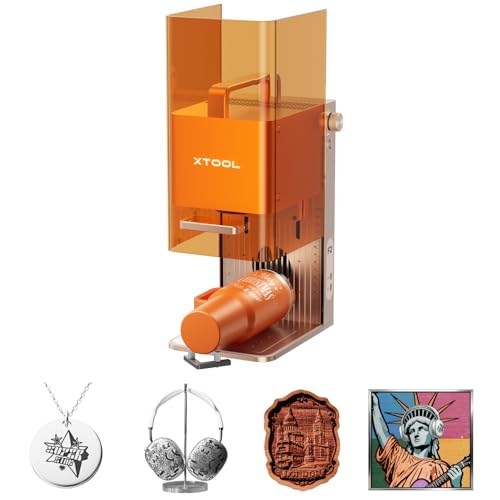
The power of the laser diode directly determines how fast and deep you can engrave. The Wizmaker Wand Mini 2.5W is perfect for light materials like paper, cardboard, and thin wood. The 3.5W models step up the speed and depth, handling thicker wood and dark acrylic with ease. For the fastest results and the ability to cut through denser materials like MDF and coated metals, the 7W version is the clear choice. If you plan to engrave tumblers or cylindrical objects, the 7W model also supports optional rotary accessories for 360-degree projects.
When choosing, consider your typical projects. For occasional gifts and hobby work, the 2.5W or 3.5W models offer a great balance of performance and value. For small business owners who need to process multiple orders quickly, the 7W model’s higher speed will save significant time. For more insight into power options, see our review of the WIZMAKER Wand 12W.
Software and Connectivity
All Wizmaker Wand Mini models support both LaserGRBL (free) and LightBurn software, giving you flexibility regardless of your operating system. They connect via Wi-Fi, hotspot, or USB, so you can control the machine from a laptop, desktop, or even a mobile device. This multi-device compatibility is a major advantage for users who want to work in different environments, such as a home workshop or a classroom. The included step-by-step beginner guide makes the first project straightforward, even for those new to laser engraving.
Build Quality and Safety Features
The Wizmaker Wand Mini series is built with a rigid, one-piece frame that arrives fully pre-assembled. There is no calibration or belt tensioning required, which eliminates a common frustration with DIY kits. Safety is a priority, with Class 4 laser features including tilt detection and flame monitoring. These safeguards make the machines suitable for beginners and families, providing peace of mind during operation. The compact footprint (roughly 12 x 13 inches) fits easily on a desk or craft table, making it ideal for small spaces.
Material Versatility
Each model can engrave and cut over 200 to 300 materials, including wood, bamboo, leather, felt, paper, cardboard, MDF, slate, and dark acrylic. The 2.5W and 3.5W models cannot engrave on metal, so if you need to mark coated metals, the 7W version is necessary. The ability to expand with optional accessories like rollers for tumblers, a chuck rotary for rings, and an IR laser module ensures that your machine can grow with your skills. For more on tumblers, read our guide on the best laser engraver for tumblers.
Final Thoughts
For most beginners and hobbyists, the WIZMAKER Wand MINI 2.5W Laser Engraver offers an unbeatable entry point with its low cost and zero-assembly design, while the WIZMAKER Wand Laser Engraver and Cutter Machine with 7W of power is the smarter choice for small business owners who need faster engraving and the ability to work with coated metals. Both deliver exceptional precision and ease of use, making the Wizmaker Wand Mini series a top recommendation for 2026.
Frequently Asked Questions
Can the Wizmaker Wand Mini engrave on metal?
The 2.5W and 3.5W models cannot engrave on any type of metal. For engraving on coated metals, you need the 7W model or the 12W version. For uncoated metals, a fiber laser is typically required.
What software do I need to use with the Wizmaker Wand Mini?
You can use the free LaserGRBL software or the paid LightBurn software. Both are compatible with Windows and Mac, and the machine connects via Wi-Fi, hotspot, or USB. The included beginner guide helps you get started with LaserGRBL quickly.
Is the Wizmaker Wand Mini safe for beginners?
Yes, it includes Class 4 safety features such as tilt detection and flame monitoring. These automated safeguards help prevent accidents, making it a safe choice for home use, classrooms, and family workshops. For more on safety, see our review of the Longer Ray5 5W.
Can I engrave tumblers with the Wizmaker Wand Mini?
Yes, you can add optional roller accessories for engraving cups and tumblers, as well as a chuck rotary for rings and other cylindrical objects. This expandability makes the Wand Mini series versatile for a wide range of projects.