🔥 3D Printer Black Friday Deals: picks worth watching →
You have just unboxed your Elegoo Centauri Carbon, eager to bring your designs to life with its CoreXY speed and precision. Yet, you quickly realize the software you choose makes all the difference between a seamless print and a frustrating failure. This guide explores the best slicer for Elegoo Centauri Carbon, covering both the essential software and key accessories to elevate your printing experience in 2026. Whether you are a beginner or a seasoned maker, we help you find the perfect setup to match your workflow and material needs.


What will your print cost? Use our filament cost calculator.
Buying Guide
Slicer Compatibility and Features
Your slicer must support the Elegoo Centauri Carbon’s advanced features, such as its 500 mm/s speed, auto calibration, and vibration compensation. Look for software that offers presets for this printer, including material profiles for PLA, carbon fiber, and other filaments. A slicer with robust support for multi-color printing, like the ELEGOO Centauri 2 Combo, can unlock vibrant designs without complex manual setup.
For those new to 3D printing, we recommend checking out our guide on best Elegoo slicer settings to fine-tune your prints. Experienced users can explore advanced options like pressure advance and temperature towers to maximize quality.
Print Speed and Quality Balance
The Centauri Carbon’s CoreXY system delivers high speed, but your slicer’s settings must balance this with layer adhesion and surface finish. Choose a slicer that allows you to adjust acceleration, jerk, and cooling fan speeds to match your material. For detailed miniatures, slower speeds with fine layer heights produce superior results, while functional parts benefit from faster, thicker layers.
If you print miniatures, our best Elegoo resin for miniatures article provides complementary tips for resin-based workflows, though the Centauri Carbon is an FDM printer. Always verify your slicer’s support for the printer’s 320°C nozzle and enclosed chamber for high-performance filaments.
Ease of Use and Workflow Integration
A user-friendly interface and seamless workflow are vital. Look for slicers with one-click print preparation, remote monitoring via camera, and app control. The ELEGOO ecosystem, including ELEGOOSlicer and the Matrix app, simplifies file management and printer control. For beginners, auto calibration and smart pre-print checks reduce manual tweaks, letting you focus on design.
Consider also the availability of ready-to-print models from platforms like Nexprint, which integrate with your slicer. For filament comparisons, our elegoo vs overture guide helps you choose materials that work best with your chosen slicer settings.
Accessories for Optimal Performance
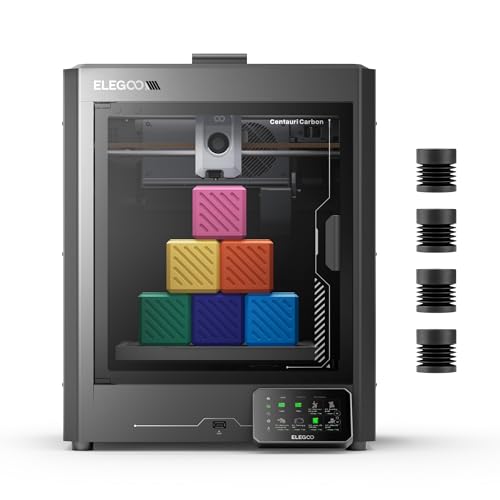
Beyond software, accessories like replacement hotends and air filters enhance your printing experience. The ELEGOO 0.4mm Extruder Hotend Kit offers a hardened steel nozzle for durability with abrasive filaments, while the 2PK for Elegoo Centauri Carbon 2 Air Filter reduces fumes and dust, improving air quality. These components ensure your slicer’s settings translate into reliable, high-quality prints.
Final Thoughts
Choosing the best slicer for Elegoo Centauri Carbon depends on your priorities: for beginners seeking a hassle-free start, the ELEGOO Centauri 2 Combo 3D Printer offers integrated software and multi-color ease, while experienced users will appreciate the ELEGOO Centauri Carbon 3D Printer with its robust material support and smart monitoring. Pair your slicer with the right accessories from our list to achieve consistent, professional results every time.
Frequently Asked Questions
What is the best slicer for Elegoo Centauri Carbon?
The best slicer for Elegoo Centauri Carbon is typically ELEGOOSlicer, which is optimized for the printer’s hardware and offers auto calibration, high-speed profiles, and remote control. Third-party options like PrusaSlicer or Cura also work with custom profiles, but ELEGOOSlicer ensures full compatibility with features like vibration compensation and the built-in camera.
Can I use Cura with Elegoo Centauri Carbon?
Yes, you can use Cura with the Elegoo Centauri Carbon by adding a custom printer profile with the correct build volume (256x256x256 mm) and nozzle diameter. However, some advanced features like auto calibration and multi-color printing may require ELEGOOSlicer or the manufacturer’s software for full support.
Does the Elegoo Centauri Carbon support multi-color printing?
The Elegoo Centauri Carbon itself is a single-color printer, but it can be paired with the ELEGOO Centauri 2 Combo for 4-color printing via independent motors and instant color switching. For single-color prints, the Centauri Carbon’s high-speed CoreXY system delivers excellent results without the need for multi-material upgrades.
What materials can I print with Elegoo Centauri Carbon?
The Elegoo Centauri Carbon supports a wide range of materials, including PLA, PETG, ABS, TPU, and carbon fiber reinforced filaments, thanks to its 320°C nozzle and enclosed chamber. For optimal results, use the recommended slicer settings for each material and consider upgrading to a hardened steel nozzle for abrasive filaments.