

🔥 3D Printer Black Friday Deals: picks worth watching →
You have just unboxed your first laser engraver and are staring at a machine that promises to turn wood, leather, and acrylic into personalized masterpieces. But with so many xTool models available, finding the best xTool for beginners can feel overwhelming. This guide breaks down the top options, from the versatile xTool M2 20W Color Craft Laser Engraver to the powerful xTool F1 Ultra 20W Fiber & Diode Dual Laser, so you can start creating with confidence. Whether you are a hobbyist or a small business owner, we have you covered.




Buying Guide
Ease of Use and Software
For a beginner, the learning curve can make or break the experience. xTool machines like the M2 series come with xTool Studio, a beginner-friendly software that offers hundreds of ready-to-use templates and an integrated AI image generator. This means you can go from creative text ideas to finished gifts in minutes. The dual-camera system on the M2 provides a real-time preview, eliminating guesswork and wasted material. If you are new to laser engraving, check out our guide on how to use a laser engraver for step-by-step tips.
Material Versatility
Different projects require different materials. The xTool M2 20W Color Craft Laser Engraver works with over 300 materials, including wood, leather, felt, fabric, and paper. For those who want to engrave metals, the xTool F1 Ultra features a fiber laser that handles gold, silver, copper, and stainless steel. The xTool P2S 55W CO2 Laser Cutter excels on acrylic and wood, cutting up to 20mm thick acrylic in a single pass. Consider what materials you plan to use most. For a broader overview, see our best desktop laser engraving machine roundup.
Safety Features
Safety is paramount, especially for home use. The xTool M2 series is Class 1 certified, meaning it is fully enclosed with real-time monitoring, making it safe for families. Models like the xTool F2 and xTool P2S include fire detection, emergency stops, and smoke extraction systems. If you are setting up a workshop, understanding safety can prevent accidents. Compare options in our xTool vs OMTech article for more insights.
Speed and Productivity
If you plan to move from hobby to small business, speed matters. The xTool F1 Ultra reaches 10,000mm/s, while the xTool P2S offers 600mm/s with batch processing. The xTool F2 delivers 6,000mm/s, completing a card engraving in just three seconds. For high-volume work, these machines save hours. Learn more about productivity in our creality Falcon2 pro 22W review for a comparison.
Final Thoughts
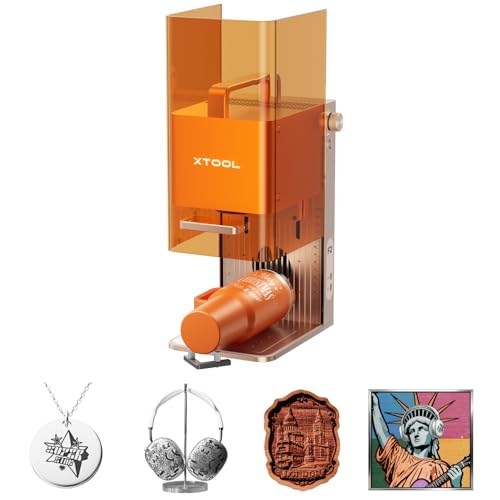
Choosing the best xTool for beginners depends on your goals. For a versatile, all-in-one machine that handles color printing and engraving with ease, the xTool M2 20W Color Craft Laser Engraver is an excellent starting point. If you need to engrave metals and want the fastest speeds, the xTool F1 Ultra 20W Fiber & Diode Dual Laser offers unmatched power and flexibility. Both models are backed by xTool’s beginner-friendly ecosystem, ensuring a smooth creative journey.
Frequently Asked Questions
What is the best xTool for a beginner in 2026? The xTool M2 series, especially the 20W Color Craft model, is often recommended for beginners due to its easy software, dual-camera system, and Class 1 safety. It works with over 300 materials and includes a CMYK inkjet module for full-color projects.
Can I engrave metal with a beginner xTool? Yes, but you need a model with a fiber laser like the xTool F1 Ultra or xTool F2. These machines can engrave metals such as gold, silver, and stainless steel. For most beginners, starting with wood and acrylic on a diode model is more affordable.
How much space does a desktop laser engraver need? Most xTool desktop models, like the M2 and F2, have a compact footprint. The xTool M2 measures roughly 20 x 20 inches, while the F2 is even smaller at about 15 x 15 inches. Ensure you have proper ventilation, though many models include built-in exhaust fans.
What is the difference between a diode and a CO2 laser for beginners? Diode lasers, like those in the xTool M2, are ideal for engraving and cutting wood, leather, and acrylic up to 10mm thick. CO2 lasers, such as the xTool P2S, cut thicker materials and offer better results on glass and stone. For most DIY projects, a diode laser is sufficient and more affordable. For a deeper dive, read our best CO2 laser machine guide.


