🔥 3D Printer Black Friday Deals: picks worth watching →
You have a workshop full of ideas for custom signs, intricate wood carvings, or precise PCB prototypes, but your current tools just cannot keep up with the detail you envision. That is exactly where a desktop CNC router like the Genmitsu 3020-PRO Ultra enters the picture, offering a compact yet powerful solution for makers who refuse to compromise on precision. In this Genmitsu 3020-PRO Ultra CNC router machine review, we break down its capabilities, compare it with other models in the Genmitsu lineup, and help you decide if it is the right fit for your projects this year. If you are exploring your first CNC machine, you might also want to check out our guide on the best CNC router for beginners to see where this model fits.






Buying Guide
Spindle Power and Torque
The heart of any CNC router is its spindle, and the Genmitsu 3020-PRO Ultra impresses with a 710W motor that delivers consistent torque across a wide speed range. This power allows you to cut through aluminum up to 1.5mm in a single pass, a capability that sets it apart from entry-level models like the Genmitsu 3018-PRO. For tougher materials such as carbon fiber or soft titanium, the adjustable 6-speed settings give you the control needed for clean edges without burning the workpiece.
When comparing spindles, consider the type of projects you plan to tackle most often. If you work primarily with soft woods and acrylics, a lower wattage spindle may suffice, but for metal or dense hardwoods, the 710W unit on the Ultra is a clear advantage. This feature alone makes it a strong candidate for anyone looking to move beyond basic engraving into serious milling tasks.
Build Quality and Rigidity
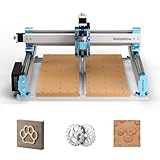
All-metal construction is a hallmark of the Genmitsu 3020-PRO Ultra, with dual linear rails on the X-axis and polished rods on the Z and Y axes that minimize flex during operation. This rigidity translates directly to better accuracy and repeatability, which is crucial when you are machining parts that need to fit together precisely. The enclosed mold materials and reinforced backplate further reduce vibration, allowing you to run longer jobs without constant recalibration.
If you have ever used a CNC with plastic components, you know how quickly they can wear out or introduce play. The Ultra’s all-metal design addresses that concern head-on, making it a reliable choice for both hobbyists and small business owners who need consistent output. For a broader look at what makes a CNC router sturdy, our article on the best CNC router for beginners covers the key structural elements to look for.
Work Area and Versatility
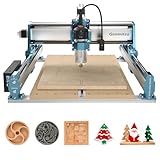
With a working area of 11.8 by 8.1 by 3.1 inches, the 3020-PRO Ultra offers a sweet spot for small to medium projects. This size is large enough to handle sign blanks, circuit boards, and custom parts, yet compact enough to fit on a standard workbench without dominating your space. The included spindle holder and adapter allow you to swap between different spindles or even laser modules, giving you future flexibility as your skills grow.
Versatility also extends to material compatibility: the machine handles wood, acrylic, PCB, MDF, and soft metals with the right bits and settings. If you need a larger canvas, models like the Genmitsu 4040-PRO or the PROVerXL 6050 Plus offer bigger beds, but the Ultra strikes a balance between footprint and capability that many users find ideal for a dedicated desktop setup.
Ease of Setup and Control Options
Nobody wants to spend hours assembling a machine before they can make their first cut. The Genmitsu 3020-PRO Ultra features a modular assembly design that reduces setup to just two simple steps, a welcome improvement over earlier models. It also includes an offline controller, so you can run basic G-code files without keeping a computer tethered to the machine, which is a real convenience for quick jobs or when your PC is tied up with other tasks.
For those who prefer a full computer-based workflow, the machine is compatible with GRBL control and software like Candle, Easel, and Fusion360. This dual approach means you can start with simple offline projects and gradually transition to more complex CAD/CAM designs as your confidence builds. If you are new to CNC, we recommend reading our best rated 3D printer for beginners guide for additional insights on getting started with digital fabrication.
Final Thoughts
After evaluating the Genmitsu 3020-PRO Ultra CNC router machine against its siblings and competitors, we believe it stands out as a versatile and powerful option for makers who need more than basic engraving but are not ready for a full industrial setup. For those just starting their CNC journey and working primarily with softer materials, the Genmitsu CNC 3018-PRO Router Kit offers an affordable entry point with a proven learning curve, while the Genmitsu 3020-PRO Ultra CNC Router Machine itself is the better pick if you plan to cut metals or demand higher precision from the start. Whichever path you choose, both machines are backed by a supportive community and a brand that continues to iterate on its designs.
Frequently Asked Questions
Can the Genmitsu 3020-PRO Ultra cut aluminum?
Yes, the 710W spindle with 60mm stepper motors allows it to cut soft aluminum up to 1.5mm deep in a single pass. For best results, use appropriate bits and take light passes to avoid overheating the material.
What software is compatible with this CNC router?
It works with GRBL-based software like Candle, as well as popular CAD/CAM applications such as Carveco, Fusion360, and Easel. The offline controller also lets you run pre-loaded G-code files without a computer.
How long does it take to assemble the Genmitsu 3020-PRO Ultra?
Thanks to its modular design, most users can complete the assembly in about two steps and under an hour. The machine comes semi-preinstalled, so you mainly need to attach the gantry and connect the electronics.
Can I upgrade the spindle or add a laser module later?
Absolutely. The machine includes a 65mm spindle holder and a 52mm adapter, and it is also compatible with 69mm brackets. This allows you to swap spindles or attach a laser module as your projects evolve. For more upgrade ideas, check our best CNC router for beginners guide for accessory recommendations.