🔥 3D Printer Black Friday Deals: picks worth watching →
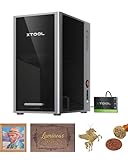
Imagine transforming a simple piece of wood into a vibrant, full-color keepsake, or engraving intricate patterns on leather with laser precision. The xTool M2 40W laser engraver makes this possible, blending high-power laser cutting with CMYK inkjet printing in one compact machine. Whether you are a hobbyist looking to personalize gifts or a small business owner aiming to scale production, this guide will help you understand the M2 family and choose the right configuration for your needs. For a broader look at getting started, check out our guide on the best xTool for beginners.



Buying Guide: What to Look for in a Laser Engraver
Laser Power and Material Compatibility
The laser power determines what materials you can cut and how fast you can engrave. The xTool M2 series offers modules from 10W to 40W. A 40W diode laser can cut through thicker wood and acrylic, while a 10W is sufficient for lighter materials like paper and felt. If you plan to work with metals, consider the xTool F1 Ultra 20W Fiber & Diode Dual Laser, which includes a fiber laser for engraving metals like stainless steel and brass.
Dual Camera and Precision Features
Built-in dual cameras are a game-changer for accuracy. The xTool M2 uses two cameras to provide a real-time preview of your workspace and automatically align your designs. This eliminates guesswork and wasted material, especially when working with pre-printed items or complex layouts. For tumblers and cylindrical objects, the optional RA3 Lite Rotary adds even more versatility. Learn more about customizing drinkware in our article on the best xTool laser for tumblers.
Software and Ease of Use
Beginner-friendly software is crucial for a smooth experience. xTool Studio offers hundreds of ready-to-use templates and an integrated AI image generator, making it easy to go from idea to finished product. The software supports a seamless print-then-cut workflow when using the CMYK inkjet module. For those seeking a complete solution, the best buy xTool guide compares various models to help you find the right fit.
Safety and Enclosure
Safety is paramount, especially for home use. The xTool M2 is a Class 1 laser engraver, meaning it is fully enclosed with built-in safety features like a fire alarm and emergency stop button. This design filters out strong light and smoke, allowing you to operate it safely in a home or small studio environment. The enclosed design also protects curious pets and children.
Final Thoughts
Choosing the right xTool M2 configuration comes down to your specific creative goals. For those who want the ultimate all-in-one machine with full-color printing and high-power cutting, the xTool M2 40W Color Craft Laser Engraver is an outstanding choice, bundling the CMYK inkjet module and rotary attachment for maximum versatility. If your focus is on rapid, high-detail engraving on a budget, the xTool M2 10W Laser Engraver offers a fantastic entry point that can be upgraded later with additional modules. Whichever path you choose, the M2 series delivers reliable, professional results that will elevate your crafting to the next level.
Frequently Asked Questions
Can the xTool M2 40W engrave metal?
The standard diode laser modules (10W, 20W, 40W) can mark coated metals but are not designed for deep engraving on bare metal. For metal engraving, you would need the optional 3W 1064nm IR laser module or a dedicated fiber laser like the xTool F1 Ultra. The M2’s interchangeable module system makes this upgrade possible.
What materials can the CMYK inkjet module print on?
The CMYK inkjet module can print full-color images on a wide range of flat materials, including wood, paper, cardstock, fabric, leather, and felt. It works best on absorbent surfaces. After printing, you can use the laser to cut or engrave the same piece, creating intricate mixed-media projects.
Is the xTool M2 suitable for a small business?
Absolutely. The xTool M2’s combination of laser engraving and CMYK printing allows you to produce high-value personalized items like custom tumblers, jewelry, home decor, and stickers. The dual-camera system speeds up setup, and the Class 1 safety rating makes it safe for in-store customization. For higher volume, consider the xTool F1 Ultra with its conveyor system for batch processing.
Does the xTool M2 come with software?
Yes, the xTool M2 is compatible with xTool Studio, a free and intuitive software that works on Windows and macOS. It includes design tools, a library of templates, and an AI image generator. The software supports both laser and inkjet operations, making it easy to manage your projects from start to finish.