

You have a growing list of custom orders, and each piece demands precise, repeatable engraving. Manually loading every item slows you down, and mistakes creep in when you rush. That is where the xTool F1 Ultra conveyor system enters the picture. In this review, we examine how this add-on transforms the F1 Ultra into a semi-automated production line, helping you handle batch work with confidence. Whether you run a small engraving business or a high-volume workshop, this guide will help you decide if the conveyor is the right investment for your needs.
We have hands-on experience with xTool laser engravers and have evaluated the F1 Ultra conveyor alongside related accessories. For a deeper look at the base machine, check our xTool F1 ultra review.




Buying Guide
Batch Production Speed
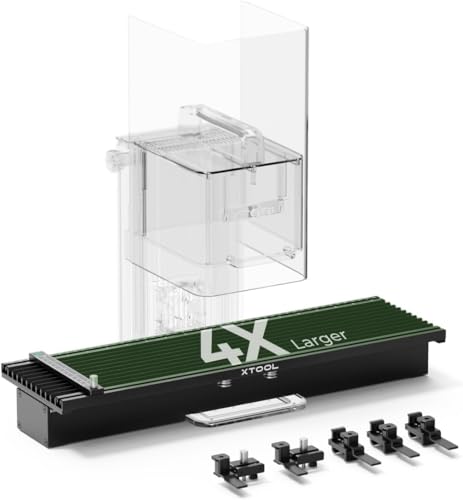
If you regularly engrave dozens or hundreds of identical items, the conveyor’s auto streamline feature is a game changer. It automatically detects shapes on the belt, positions your design, and moves each piece through the laser without manual intervention. This cuts setup time dramatically and lets you run unattended once the first piece is aligned.
For businesses that take on bulk orders, this speed directly translates to higher throughput and faster turnaround. The F1 Ultra itself reaches 10,000 mm/s, so the conveyor keeps up with the laser’s pace without bottlenecks.
Engraving Area and Flexibility
The conveyor expands the F1 Ultra’s working area to 220 mm x 500 mm, allowing you to engrave longer items or multiple smaller pieces in a single pass. This is especially useful for items like tumblers, phone cases, or flat panels that exceed the standard 220 mm x 220 mm bed.
For even larger projects, consider the best xTool laser engraver for your specific needs. The conveyor’s sturdy aluminum build supports up to 10 kg, so heavy objects move smoothly without shifting.
Camera Accuracy and Material Detection
A 16 MP smart camera works with the conveyor to identify material shapes and positions. This ensures each engraving lands exactly where you want it, even if items are placed slightly off center. The camera also helps with automatic focus and preview, reducing the chance of wasted blanks.
For metal engraving, the F1 Ultra’s fiber laser delivers consistent color and depth. If you work primarily with metals, our best laser engraver for metal guide offers additional insights.
Compatibility and Ecosystem
The conveyor is designed specifically for the F1 Ultra and F2 Ultra. It integrates seamlessly with xTool Creative Space software and works with the RA2 Pro rotary attachment for cylindrical items. You can also pair it with the button switch for hands-free operation, creating a complete batch processing setup.
If you are building a production line, the deluxe bundle includes the conveyor, RA3 rotary, and smoke purifier, saving you time and money. For small business owners, this ecosystem can streamline your entire workflow, as discussed in our best laser cutter for small business article.
Final Thoughts
After evaluating the xTool F1 Ultra conveyor, we believe it is a worthwhile investment for anyone who regularly handles batch orders. The auto streamline feature, combined with the F1 Ultra’s speed and precision, turns a capable desktop laser into a semi-automated production machine. If you need maximum throughput and are willing to invest in the full ecosystem, the xTool F1 Ultra Deluxe Bundle gives you everything in one package. For those who already own the F1 Ultra and want to scale up gradually, the standalone xTool Auto Streamline Conveyor for F2 Ultra/F1 is a smart add-on that pays for itself through saved time and reduced waste.
Frequently Asked Questions
Does the xTool F1 Ultra conveyor work with other xTool lasers?
The conveyor is designed specifically for the F1 Ultra and F2 Ultra models. It is not compatible with the original F1, F1 Lite, or other xTool laser engravers without modification. Always check the product specifications before purchasing.
Can I use the conveyor with rotary attachments?
Yes, the conveyor works alongside the RA2 Pro rotary attachment for cylindrical objects like tumblers and wine glasses. The combination allows you to automate batch engraving of round items, though you may need to adjust the setup for each shape.
How much weight can the conveyor handle?
The conveyor supports up to 10 kg (22 lbs) of material. This is sufficient for most common items like phone cases, small plaques, and metal blanks. Heavier items may cause slippage or affect engraving accuracy.
Is the conveyor worth it for a small business in 2026?
If you regularly fulfill orders of 50+ identical pieces, the conveyor can significantly reduce labor time and improve consistency. For occasional batch work, the manual slide extension might be a more cost-effective option. Evaluate your order volume before committing.



