

You’ve seen the stunning projects online: perfectly engraved tumblers, intricate wooden signs, and personalized jewelry. But your current setup just isn’t cutting it, or maybe you’re starting fresh. The xTool S1 40W laser module promises to deliver that professional-level precision and power, but with multiple configurations available, it’s tough to know which one fits your needs. This review breaks down the xTool S1 40W laser module and its variants, helping you decide if it’s the right investment for your creative or business goals in 2026.
We’ll explore the core features, safety innovations, and real-world performance of the S1 40W system, including the rotary bundle and the optional infrared module. Whether you’re a hobbyist upgrading or a small business owner scaling up, we’ve got you covered. For a deeper look at how the S1 compares to other models, check our comprehensive xTool S1 review.


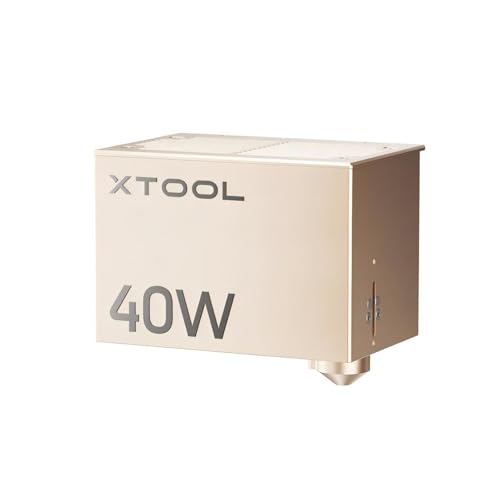


Buying Guide: Choosing Your xTool S1 40W Setup
When you’re considering the xTool S1 40W laser module, a few key factors will determine which package is right for you. It’s not just about raw power; it’s about matching the tool to your specific projects, workspace, and skill level. Here’s what we recommend you evaluate before making a purchase.
Power and Cutting Capability
The heart of the S1 is its 40W diode laser. This isn’t just about speed; it’s about the ability to cut through thicker materials in a single pass. The xTool S1 40W Laser Cutter and Laser Engraver can slice through 18mm cherry wood, 15mm dark acrylic, and even mark stainless steel. If you’re planning to work on large batches or dense materials, this power is a game-changer.
For those who already own an S1, the xTool S1 40W Laser Module for xTool S1 Laser is a straightforward upgrade path. You can swap out the laser head without buying a whole new machine, which is both cost-effective and space-saving. It’s a smart way to boost your capabilities as your projects grow in complexity.
Rotary Attachments and Versatility
If you’re into engraving cylindrical items like tumblers, wine glasses, or even rings, the rotary attachment is essential. The xTool RA2 Pro for xTool S1, F1, F1 Ultra, P2 is a 4-in-1 system that handles rollers, chucks, spheres, and ring studs. This flexibility means you can personalize almost any object, from a baseball bat to a delicate eggshell. It’s a must-have for anyone looking to expand their product offerings.
The RA2 Pro also offers high-speed engraving at 360° per second and a precision stepper motor that ensures fine details aren’t lost. If you’re serious about creating professional-grade personalized items, this accessory is worth the investment. For a broader look at which xTool models pair well with such accessories, see our best xTool laser engraver guide.
Safety Features and Ease of Use
Safety should never be an afterthought, especially if you have kids or pets at home. The xTool S1 40W Rotary Bundle and the base model both feature a Class 1 enclosure that filters 99% of laser light, so you don’t need to wear goggles. The enclosed design also contains smoke and noise, making it more comfortable to use in a shared space. Five flame sensors and an emergency stop add extra peace of mind.
Ease of use is another major plus. The auto-focus and the xTool Creative Space (XCS) software simplify the process, even for beginners. With over 400 pre-set material parameters and AI-powered design suggestions, you can go from idea to finished product quickly. If you’re curious about the underlying technology, our guide on how laser engravers work is a great starting point.
Specialty Modules: Infrared for Metal and Jewelry
If your focus is on metals, jewelry, or detailed plastic engraving, the xTool S1 1064nm Infrared Laser Module is a specialized add-on. This 2W infrared laser produces a fine 0.03mm spot, allowing for incredibly precise engravings on gold, silver, platinum, and even leather with minimal burn marks. It’s an excellent choice for creating high-end custom pieces or engraving small, intricate components.
This module is not for cutting; it’s for detailed marking and engraving. It complements the 40W diode laser, giving you a dual-laser system that can handle both heavy cutting and delicate metalwork. This combination is particularly powerful for small businesses that want to offer a wide range of services. If you’re weighing different laser types, our diode vs CO2 laser can help clarify the differences.
Final Thoughts
After thoroughly evaluating the xTool S1 40W laser module and its various configurations, we’re confident that it’s a top-tier choice for both hobbyists and professionals. The xTool S1 40W Laser Cutter and Laser Engraver offers an unbeatable combination of power, safety, and ease of use, making it our top pick for most users. For those who need to engrave cylindrical items or want the ultimate versatility, the xTool S1 40W Rotary Bundle is an exceptional value, bundling the rotary attachment and a smoke purifier for a complete workshop solution. Whichever you choose, you’re investing in a reliable machine that will elevate your creative projects for years to come.
Frequently Asked Questions
Can the xTool S1 40W cut metal?
The 40W diode laser can mark or engrave on coated metals and cut very thin stainless steel (up to 0.1mm) in a single pass. For thicker metals, you’d need the optional 1064nm infrared module, which can mark metals like gold, silver, and copper with high precision, but it’s not designed for cutting thick sheets.
Is the xTool S1 safe to use indoors?
Yes, the xTool S1 is a Class 1 laser product, meaning it’s fully enclosed and safe to operate without safety goggles. The protective cover filters 99% of laser light, and the built-in smoke purifier (in some bundles) helps keep the air clean. However, we still recommend using it in a well-ventilated area.
What materials can the xTool S1 40W engrave?
The S1 40W can engrave on over 400 materials, including wood, acrylic, leather, glass, stone, and anodized aluminum. With the infrared module, you can also engrave on bare metals like gold, silver, and platinum. The software includes pre-set parameters for optimal results on each material.
Do I need a rotary attachment for engraving tumblers?
Yes, to engrave cylindrical objects like tumblers, wine glasses, or bottles, you’ll need a rotary attachment like the xTool RA2 Pro. It rotates the object while the laser engraves, ensuring a consistent, 360-degree result. Without it, you can only engrave flat surfaces. For more tips on starting a laser business, check our best laser cutter for small business article.


