

You have invested in the Anycubic Kobra 3 Max for its massive build volume, but large format printing brings unique challenges. Monitoring a print that runs for days becomes critical, and any hardware failure can waste hours of work. This review covers three essential upgrades that solve these exact problems: a dedicated camera for remote supervision and a durable printhead assembly for reliable, high-speed output. Whether you are a hobbyist pushing creative limits or a small business owner scaling production, these accessories help you get the most from your Kobra 3 Max in 2026.
For more insights on choosing the right equipment, check out our guide on the best 3D printer for small business.


Buying Guide
Print Monitoring and Remote Control
Large format prints can span days, so real-time visibility is a must. A dedicated camera lets you check layer adhesion, detect filament jams, and confirm progress from anywhere using the Anycubic app. This feature alone reduces failed prints and saves material, making it a high priority for any Kobra 3 Max owner.
For smaller projects, you might also explore the best 3D scanner for small objects to complement your workflow.
Build Quality and Durability
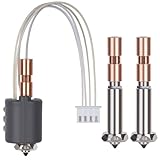
The printhead assembly takes the most stress during high-speed printing. Choosing a component made from industrial-grade materials ensures consistent performance and fewer replacements. Look for parts that are balanced and calibrated specifically for the Kobra 3 Max platform to maintain print quality over long sessions.
Ease of Installation
No one wants to spend hours setting up an accessory. Both the camera and printhead assembly we reviewed offer simple installation with step-by-step video guides. The camera connects via USB and clips into place, while the printhead swaps out in minutes, getting you back to printing fast.
Compatibility and Versatility
Ensure any accessory you buy works with your specific printer model. The camera we evaluated fits the Kobra 3 Max, Kobra 3 Combo, and even the Kobra 2 series, giving you flexibility if you upgrade later. The printhead assembly is purpose-built for the Kobra 3 Max and its combo variant, guaranteeing a perfect match.
Final Thoughts
Whether you are a creator who values constant oversight or a production user needing reliable hardware, these upgrades address core pain points of large format printing. For seamless remote monitoring, the Anycubic Camera Kobra 3 Series 3D Printer delivers ultra-clear video and easy setup. If you prioritize durability and high-speed performance, the Anycubic Printhead Assembly for Kobra 3 Max keeps your prints consistent and reduces downtime. Both are smart investments for maximizing your Kobra 3 Max in 2026.
Frequently Asked Questions
Can I use the Anycubic Camera with the Kobra 3 Max?
Yes, the Anycubic Camera Kobra 3 Series is fully compatible with the Kobra 3 Max, Kobra 3 Combo, and Kobra 2 series. It connects via USB and works with the Anycubic app for remote viewing.
How do I install the printhead assembly on the Kobra 3 Max?
Installation is straightforward. The printhead assembly slides into place and secures with a few screws. Anycubic provides video guides, and most users complete the swap in under ten minutes.
Does the camera support time-lapse recording?
The camera supports real-time and remote monitoring through the Anycubic app. Time-lapse functionality may depend on app updates, but the primary feature is live video supervision.
Is the printhead assembly compatible with high-speed printing?
Yes, the Anycubic Printhead Assembly is optimized for high-speed movements and high flow rates on the Kobra 3 Max platform. It maintains print quality even during rapid operations.
For more on advanced 3D printing, read our anycubic photon mono M7 pro review.


