🔥 Laser Engraver Black Friday Deals for 2026: picks worth watching →
You have a creative spark, a stack of wooden coasters, or a batch of metal keychains waiting for a personal touch. But laser engravers often carry hefty price tags that can dampen your enthusiasm. If you are hunting for the best budget diode laser engraver that delivers professional results without breaking the bank, you have landed in the right place. This guide breaks down the top affordable models, focusing on power, precision, and real-world usability for hobbyists and small business owners alike.
We have evaluated a range of machines from trusted brands like xTool and Creality, analyzing their features, capabilities, and value. Whether you are engraving wood, acrylic, leather, or even metal, there is a budget-friendly option here that can elevate your projects. Let’s dive into the details and find the perfect companion for your workshop.




Buying Guide: What to Look for in a Budget Diode Laser Engraver
Laser Power and Material Compatibility
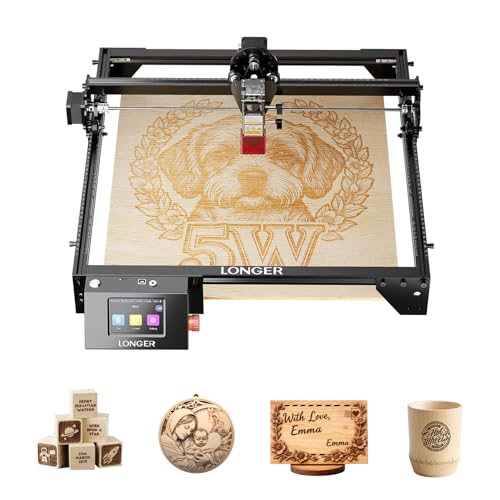
The wattage of the diode laser determines how quickly and deeply you can engrave or cut. For a budget machine, you typically see 5W to 20W diode lasers, but some models like the Creality Falcon2 Pro S 40W offer higher power for faster processing. Higher power also expands material compatibility, allowing you to work with thicker woods, acrylics, and even some metals if the machine includes an IR or fiber laser.
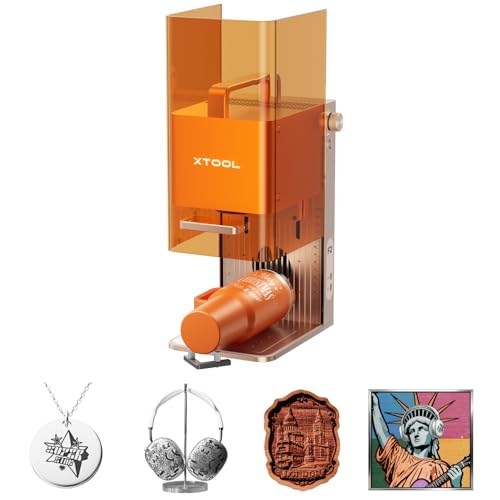
Consider what materials you plan to engrave most often. If your focus is on wood and acrylic, a 15W or 20W diode is sufficient. If you need to mark metal, look for a dual-laser system with an IR or fiber component, like the xTool F2 5W IR & 15W Diode, which offers versatility without a huge price jump.
Precision and Camera Systems
Engraving intricate designs requires precise positioning and focus. Many modern budget engravers come with built-in cameras that let you preview your design on the material before starting. A high-resolution camera, like the 50MP camera on the xTool F2, ensures alignment accuracy down to 0.1 mm, reducing wasted materials and failed attempts.
Autofocus features, such as the Z-axis autofocus on the Creality Falcon2 Pro S, simplify the setup process. You just place your material, and the machine adjusts the focus automatically. This saves time and reduces the learning curve, making it easier for beginners to achieve professional results.
Engraving Speed and Work Area
Speed is a critical factor, especially if you plan to produce items in bulk or run a small business. Budget models typically offer speeds between 600mm/s and 6000mm/s. The xTool F1 Ultra boasts an incredible 10,000mm/s, but that premium performance comes at a higher cost. For budget buyers, a speed of 600mm/s to 1500mm/s is often adequate for most projects.
Work area size also matters. If you plan to engrave larger items like cutting boards or signs, look for a machine with a generous work area, such as the 400mm x 400mm space on the Creality Falcon2 Pro S. If you mainly work with small items like jewelry or keychains, a compact work area is acceptable.
Safety Features and Software Ease
Laser engravers involve high-power beams, so safety is non-negotiable. Look for models with enclosed designs, emergency stop buttons, and fire alarms. The xTool F2 Ultra series includes a fully enclosed cover that filters out strong light, making it safe for in-store use. Budget models like the Creality Falcon2 Pro S offer Class 1 safety certification, ensuring the laser is contained.
Software compatibility is another key consideration. The best budget engraver is one that works seamlessly with your design tools. Most xTool and Creality machines come with user-friendly software that supports popular file formats and offers presets for various materials. Some even integrate with AI-powered features to suggest optimal settings, reducing guesswork.
For a deeper dive into affordable options, check out our best cheap laser engraver guide. Also, if you are interested in the Creality Falcon A1 series, read our Creality Falcon A1 review for insights.
Final Thoughts
Choosing the best budget diode laser engraver ultimately comes down to your specific needs and budget. For a versatile and powerful option that handles both metal and wood, the xTool F2 5W IR & 15W Diode Dual Laser Engraver is an excellent choice with its dual-laser capabilities and 50MP camera. If you prioritize a larger work area and high speed for wood and acrylic projects, the Creality Falcon2 Pro S 40W Laser Engraver offers exceptional value. Both machines provide professional-grade results, and with the right care, they will serve you well for years to come.
Frequently Asked Questions
What is the best budget diode laser engraver for beginners?
For beginners, we recommend the Creality Falcon2 Pro S 40W because of its user-friendly autofocus and large work area. It offers a balance of power and ease, making it ideal for learning. The xTool F2 5W IR & 15W Diode is also a great option if you need metal engraving capabilities from the start.
Can a budget diode laser engraver cut metal?
Standard diode lasers cannot cut metal, but they can engrave coated metals or mark them with the help of marking sprays. However, some budget models like the xTool F2 5W IR & 15W Diode include an IR laser that can mark metals, and the xTool F2 Ultra series with fiber lasers can cut thin metals. For cutting thicker metals, you would need a fiber laser, which is more expensive.
How much power do I need in a diode laser engraver?
For most hobbyists, a 10W to 20W diode laser is sufficient for engraving wood, leather, and acrylic. If you plan to cut thicker materials or work faster, consider a 40W model like the Creality Falcon2 Pro S. For metal marking, you will need an IR or fiber laser, which typically comes in dual-laser systems.
Are budget diode laser engravers safe for indoor use?
Yes, many budget models are designed with safety features such as enclosed cases, exhaust ports, and emergency stop buttons. The xTool F2 Ultra series and Creality Falcon2 Pro S offer Class 1 safety ratings, meaning the laser is fully enclosed. However, always use proper ventilation and eye protection as a precaution. For more on safety, see our xTool D8W review.