

🔥 3D Printer Black Friday Deals: picks worth watching →
You’ve finally cleared a corner of your garage or workshop, ready to turn digital designs into physical parts. But with so many machines on the market, picking the right one can feel overwhelming. This guide breaks down the best desktop CNC machine options for 2026, covering everything from compact engravers to powerful routers that can handle aluminum.
Whether you’re a hobbyist crafting custom signs or a small business owner producing prototypes, we’ve got you covered. We’ll explore key features, what to look for, and our top recommendations to help you make a confident choice. If you’re also considering laser engraving, check out our best budget diode laser engraver picks for a different approach to material processing.



Buying Guide: What to Consider in a Desktop CNC Machine
Work Area and Build Size
The first thing to examine is the machine’s work area, which determines the maximum size of material you can process. For tumblers and cylindrical objects, a machine like the Twotrees TS5 offers a specialized workspace, while others provide a flat bed for boards and sheets. Think about your typical projects: are you making small signs, or do you need to fit a full guitar body?
A larger work area, such as the 800 x 800mm on the FoxAlien XE-Ultra, gives you more flexibility but also takes up more space. Consider your available bench space and the scale of your projects before committing to a size. For many hobbyists, a 300 x 300mm area is a sweet spot.
Spindle Power and Material Compatibility
The spindle or router’s power dictates what materials you can cut and how fast. Lower wattage spindles (like those around 500W) are fine for wood, plastic, and soft metals like brass. Higher wattage, such as the 710W or 800W options, will handle aluminum and even stainless steel with more ease.
If you plan to work with harder metals, look for a machine with a robust motor and a rigid frame. The Twotrees TTC450 Pro, with its NEMA 57 stepper motor, is built for such tasks. For general woodworking and engraving, a standard 500W spindle is usually sufficient and more budget-friendly.
Frame Construction and Rigidity
Rigidity is crucial for precision. An all-metal frame reduces vibration, which translates to cleaner cuts and longer tool life. Many budget machines use aluminum extrusions, while higher-end models feature solid aluminum or steel plates. Check for reinforced gantries and linear rails, as these components significantly affect accuracy.
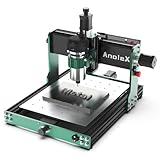
For example, the AnoleX 3030-Evo Max boasts dual steel linear guides, which help maintain stability during heavy cuts. If you’re aiming for intricate details, a sturdier frame is a worthwhile investment. If you’re also exploring large-format printing, you might find our best 3D printer with large build volume guide useful for comparison.
Control System and Software
The control system determines how you send files to the machine and how it operates. Most desktop CNCs use GRBL firmware and are controlled via USB from a computer. Some models, like the LUNYEE 3018 PRO MAX, include an offline controller, allowing you to run jobs without a PC, which is handy for small workshops.
Touchscreen interfaces, like on the Twotrees TTC450 Pro, make manual setup and adjustments easier. Consider your comfort with software; if you prefer a visual interface, a touchscreen might be a plus. For laser engraving alternatives, check out our best CO2 laser cutter and engraver picks to see how they compare in control systems.
Final Thoughts
Choosing the best desktop CNC machine ultimately comes down to your specific projects and budget. For those just starting out with wood and soft materials, the FoxAlien Masuter Pro 3-Axis CNC Router Machine offers a solid balance of affordability and capability. If you need to cut aluminum and require a more robust build, the Genmitsu 4040-PRO MAX CNC Router Machine with 710W is a powerful choice that won’t let you down. We hope this guide helps you find the perfect machine to bring your creative visions to life.
Frequently Asked Questions
What is the best desktop CNC machine for beginners?
For beginners, we often recommend the FoxAlien Masuter Pro or the LUNYEE 3018 PRO MAX. These machines are user-friendly, have a smaller learning curve, and are great for learning the basics of CNC routing. They also come with active communities and plenty of online tutorials.
Can a desktop CNC machine cut aluminum?
Yes, many desktop CNC machines can cut aluminum, but you’ll need a machine with a rigid frame and a spindle with sufficient power, ideally at least 500W. Machines like the AnoleX 3030-Evo Max or Genmitsu 4040-PRO MAX are designed to handle non-ferrous metals. Use appropriate feeds and speeds to achieve clean results.
What software do I need for a desktop CNC machine?
Most desktop CNCs are compatible with free and open-source software like Candle, UGS (Universal Gcode Sender), or GrblController. For design, you can use Fusion 360, VCarve, or even Inkscape with plugins. The specific software may vary by machine, so check the manufacturer’s recommendations.
How much space does a desktop CNC machine require?
The footprint varies widely. Compact models like the LUNYEE 3018 PRO MAX fit on a small desk, while larger machines like the FoxAlien XE-Ultra need a dedicated table. Always measure your available space and consider the machine’s dimensions, including the controller and any enclosures. For more insights on workshop tools, you might check our ELEGOO ABS-Like 3.0 review, which discusses material handling in a similar context.


