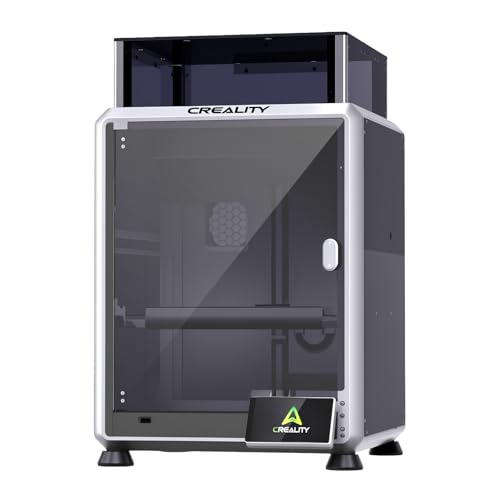
If you are hunting for a desktop laser engraver that balances power, precision, and ease of use, the Creality Falcon A1C series deserves a close look. This Creality Falcon A1C laser engraver review breaks down the top models available in 2026, helping you decide which one fits your workshop, studio, or home craft space.
Whether you are a beginner exploring engraving for the first time or a seasoned maker needing a versatile second machine, the Falcon A1C lineup offers interchangeable laser modules, smart camera alignment, and auto focus. We have evaluated the 10W bundle with IR module, the AI camera version, and the mini 5W and 10W options to highlight what each brings to the table.


Buying Guide: What to Look for in a Diode Laser Engraver
Before you commit to a specific Falcon A1C model, consider these key factors that directly affect your engraving results and overall satisfaction.
Laser Power and Material Compatibility
The wattage of the laser module determines what materials you can cut and engrave. A 10W diode laser handles wood, leather, acrylic, and some plastics with ease, while a 5W version is lighter on the wallet but slower on thicker materials.
If you plan to engrave metal or plastic, consider a model that supports an optional IR laser module, like the Creality Falcon A1C 10W Laser Engraver Bundle. This expands your creative range significantly, allowing you to personalize gifts and accessories.
Interchangeable Laser Platform
One standout feature of the Falcon A1C series is the quick-swap laser module design. You can switch between 5W, 10W, and 1.2W IR modules in about 15 seconds, giving you flexibility without owning multiple machines.
This modular approach is perfect for those who want to start with a basic setup and upgrade later. It also makes the Falcon A1C a future-proof investment, as new modules may become available over time.
Smart Features: Camera, Auto Focus, and AI Assistance
A built-in HD camera allows you to position your design precisely on the material, reducing waste and improving accuracy. Auto focus eliminates manual calibration, saving you time on every project.
Higher-end models like the Creality Falcon A1C 10W AI Laser Engraver with AI take this a step further with AI one-tap engraving, background removal, and smart layout suggestions. These features are especially helpful for beginners who want professional results without a steep learning curve.
Safety and Workspace
Class 1 certified enclosures provide peace of mind, especially if you are using the engraver indoors or in a shared space. The Falcon A1C models feature fully enclosed structures that meet FDA Class 1 safety requirements, protecting you from direct laser exposure.
Also, consider the working area. The Falcon A1C offers a generous 150 × 150 × 148 mm (5.9″ × 5.9″ × 5.8″) space, which is ample for coasters, signs, and small décor items. For larger projects, you might want to explore other options in our best laser cutter for wood guide.
Final Thoughts
After evaluating the current Falcon A1C lineup, we recommend the Creality Falcon A1C 10W Laser Engraver Bundle for those who want maximum versatility with the added IR module, while the Creality Falcon A1C 10W AI Laser Engraver with AI is an excellent choice for beginners seeking AI-powered convenience. Both models deliver exceptional performance, and your final pick should align with your budget and the materials you plan to work with.
Frequently Asked Questions
Can the Creality Falcon A1C engrave metal?
Yes, but only with the optional 1.2W IR laser module, which is included in the bundle version. The standard diode lasers cannot engrave bare metal, but the IR module opens up that capability.
What materials can the Falcon A1C work with?
The Falcon A1C supports over 300 materials, including wood, leather, acrylic, plastic, and more. With the IR module, you can also engrave metals and some coated surfaces.
Is the Falcon A1C safe for indoor use?
Absolutely. It is certified as a Class 1 laser product, meaning it is fully enclosed and safe for home, studio, or classroom use without special protective eyewear.
How fast is the Falcon A1C?
The engraving speed reaches up to 15,000 mm/min, making it one of the faster desktop engravers in its class. This allows you to complete projects quickly, whether you are doing small batch production or one-off gifts.
For more insights on choosing the right engraver, check our best laser engraver under $500 article, and for a comparison with the previous model, read our creality falcon A1 10W review.