Whether you are a hobbyist looking to personalize gifts or a small business owner scaling up production, choosing the right diode laser engraver can feel overwhelming. This ACMER S1 laser engraver machine review covers three standout models from ACMER: the compact S1 2500mW, the versatile S1 3500mW, and the powerhouse S2 12W. We evaluate each for precision, software ease, and build quality to help you decide.
ACMER has built a reputation for accessible yet capable laser cutters. Their lineup spans from entry-level units perfect for beginners to more robust machines for demanding projects. For a broader perspective on the category, you can explore our roundup of the best laser engraver under $500.


Buying Guide
Laser Power and Material Compatibility
Laser power determines what materials you can cut and how fast you can engrave. The S1 2500mW model handles thin wood, leather, and acrylic for light craft work. The S1 3500mW offers more headroom for thicker cuts and faster passes. The S2 12W laser module with 72W total system power cuts up to 15mm paulownia wood and 12mm black acrylic with multiple passes, making it ideal for deeper projects.
If you mostly engrave on coated metal, ceramics, or dense acrylic, the higher power S2 is worth the investment. For occasional cutting of thin plywood and MDF, either S1 model will serve you well. For a comparison with other entry-level machines, see our creality falcon 5W laser engraver machine review.
Precision and Spot Size
Fine detail work demands a small laser spot and high positioning accuracy. The S1 models offer 0.01mm repeatable positioning accuracy, which is excellent for reproducing intricate patterns and small text. The S2 goes further with a refined 0.08×0.08mm laser spot and up to 0.01mm positioning accuracy, ensuring clean edges on photos and detailed artwork.
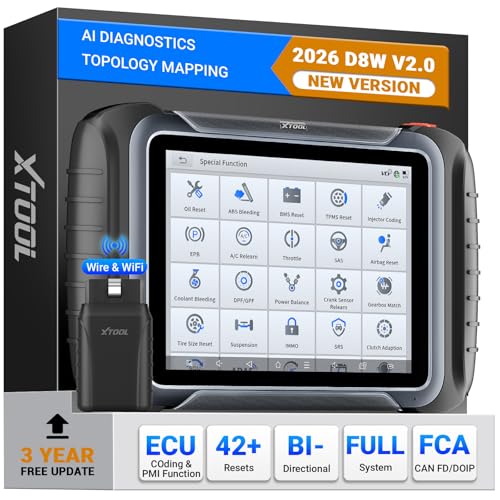
If your projects involve high-resolution images or micro-text, the S2 delivers noticeably crisper results. For basic signs and crafts, the S1 still provides reliable precision. The XTOOL D8W Wireless Bidirectional Scan Review offers another perspective on precision-oriented engravers.
Software and Ease of Use
ACMER Studio software is free and beginner-friendly, featuring AI tools that turn text prompts or photos into engraving designs. All three models also support LightBurn and LaserGRBL, giving you flexibility as your skills grow. The S1 machines arrive 99% preassembled with just a 1-minute laser head installation, while the S2 requires slightly more assembly but remains straightforward.
For those new to laser engraving, the S1 models are the easiest to set up and start using immediately. The S2 offers more advanced settings for experienced users. Both platforms are compatible with Windows, macOS, and Linux. For a deeper look at software options, check our creality 10W engraving machine review.
Workspace and Expandability
The S1 models feature a compact 130×130mm working area, ideal for small crafts and tight desks. The S2 offers a spacious 300×300mm workspace, letting you handle larger signs, layered art, and multi-piece layouts. The S2 also supports optional rotary modules, risers, and air assist, expanding its capabilities to cylindrical objects and taller workpieces.
If you plan to grow your engraving business, the S2 provides room to scale. For home hobbyists with limited space, the S1’s small footprint is a major advantage. For more on expandable systems, see the creality falcon A1 10W review.
Final Thoughts
Choosing between these ACMER models comes down to your project scale and power needs. For beginners or those with limited space, the ACMER S1 Laser Engraver Machine (3500mW) offers an excellent balance of ease, precision, and value. If you need heavier cutting power and a larger work area for business or complex projects, the ACMER S2 Laser Engraver, 12000mW Laser Cutter is the clear upgrade. Both deliver reliable performance for a wide range of materials.
Frequently Asked Questions
Can the ACMER S1 engrave on metal?
Yes, the S1 models can engrave on coated metal and aluminum oxide, but they cannot cut through metal. For deeper metal engraving, the S2’s 12W laser provides better results on materials like anodized aluminum.
What software do I need to use these machines?
All three models work with the free ACMER Studio software, which includes AI design tools. They also support LightBurn and LaserGRBL, giving you professional-grade control. Compatibility spans Windows, macOS, and Linux.
How long does it take to assemble the ACMER S1?
The S1 models arrive 99% preassembled. You only need to install the laser head, which takes about one minute. The S2 requires a bit more assembly but includes clear instructions.
Is the ACMER S2 suitable for small business use in 2026?
Absolutely. With its 300×300mm workspace, 12W laser power, and support for rotary attachments and air assist, the S2 handles a wide range of production tasks. Its precision and speed make it a solid choice for personalized gifts, signs, and prototypes.