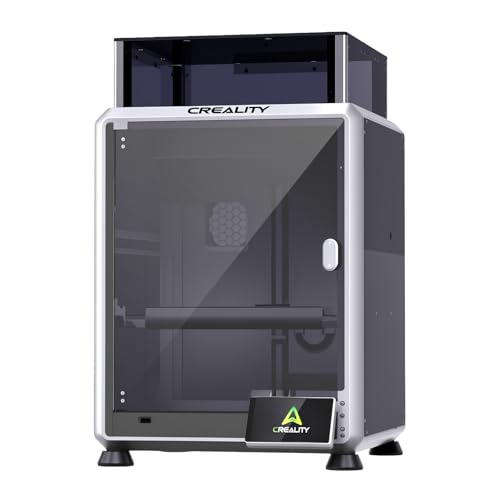
You’ve been searching for a reliable laser engraver to bring your creative ideas to life, but the options feel overwhelming. Whether you’re personalizing gifts, starting a small business, or exploring a new hobby, the right machine can make all the difference. This Creality Falcon 5W laser engraver machine review covers the top models from the Creality Falcon lineup, helping you choose the perfect fit for your projects in 2026.
We’ve evaluated nine different Creality Falcon laser engravers, from entry-level 5W units to advanced enclosed systems. Our goal is to simplify your decision by highlighting key features, performance differences, and what each model excels at. Whether you’re a beginner or a seasoned maker, you’ll find a machine that matches your skill level and creative ambitions.





Buying Guide
Laser Power and Output
Laser power determines how quickly and deeply you can engrave or cut materials. The Creality Falcon series offers 5W and 10W output options. A 5W laser is ideal for beginners and light projects like engraving wood, leather, and paper, while a 10W laser handles thicker materials and cuts faster. For serious hobbyists or small business use, a 10W model provides the extra speed and versatility you need.
Consider what materials you plan to work with most often. If you’re mainly engraving coated metals and thin wood, a 5W laser is sufficient. For cutting thicker acrylic or wood in one pass, step up to a 10W unit. The power difference directly impacts your workflow and project possibilities.
Work Area Size
The work area determines the maximum size of materials you can process. Most Creality Falcon models offer a generous 400 x 415 mm workspace, which is ample for medium-sized projects like signs, coasters, and jewelry boxes. Some models, like the Creality Falcon A1 Pro, feature larger or enclosed workspaces for bigger items.
Think about the dimensions of your typical projects. If you plan to engrave large cutting boards or multiple items simultaneously, a larger work area saves time and allows more flexibility. For smaller crafts, the standard 400 x 415 mm area is more than adequate.
Safety Features
Laser engraving involves high-intensity light and heat, so safety is paramount. Look for machines with UV protection filters, emergency stop buttons, and tilt detection. The Creality Falcon series includes anti-UV acrylic filters that block up to 97% of harmful rays, and many models feature automatic shutdown if the machine detects movement during operation.
Enclosed models like the Falcon A1 offer Class 1 laser safety, meaning they are safe to use without goggles. For open-frame machines, always wear the provided safety glasses. Prioritize models that make safety easy and intuitive, especially if you are new to laser engraving.
Software Compatibility and Ease of Use
Most Creality Falcon engravers are compatible with LaserGRBL and LightBurn, two popular engraving software platforms. LaserGRBL is free and beginner-friendly, while LightBurn offers advanced features for experienced users. Some newer models, like the Falcon A1C, include proprietary software with AI features like auto-focus and material recognition.
Consider your comfort level with software. If you want a plug-and-play experience, choose a model with a built-in camera and auto-focus. For those who enjoy fine-tuning settings, LightBurn compatibility gives you full control over speed, power, and engraving patterns. The Creality Falcon 10W Laser Module is a great example of a versatile, software-friendly option.
Final Thoughts
After reviewing the full lineup, we recommend the Creality Falcon 5W Laser Engraver Machine for beginners or those with a tight budget, as it offers excellent precision and safety at a very accessible price point. For users who need more power and faster results, the Creality Falcon 10W Laser Engraver Machine with its honeycomb bed and large workspace provides the versatility to tackle bigger projects and thicker materials with ease. Both machines deliver reliable performance and are backed by strong software support, making them solid investments for any maker.
Frequently Asked Questions
What materials can the Creality Falcon 5W laser engraver cut?
The Creality Falcon 5W can cut thin materials like paper, leather, fabric, and up to 4mm wood in a single pass. It engraves on coated metal, glass, plastic, and acrylic as well. For thicker materials, a 10W model is recommended.
Is the Creality Falcon 5W laser engraver safe for home use?
Yes, it includes an anti-UV acrylic filter that blocks up to 97% of UV light, plus an emergency stop button and tilt detection. Always use the provided safety goggles and ensure proper ventilation when operating. For maximum safety, consider an enclosed model like the Falcon A1.
Do I need a computer to run the Creality Falcon laser engraver?
Many models support offline operation via SD card or TF card, so you can start engraving without a computer. For design and file preparation, you will need a computer with compatible software like LaserGRBL or LightBurn. Some newer models also support Wi-Fi transfer.
What is the difference between 5W and 10W Creality Falcon lasers?
The main difference is power and speed. A 5W laser is suitable for light engraving and cutting thin materials, while a 10W laser cuts faster and handles thicker wood and acrylic. For most hobbyists, a 10W model provides better value and versatility for projects in 2026.