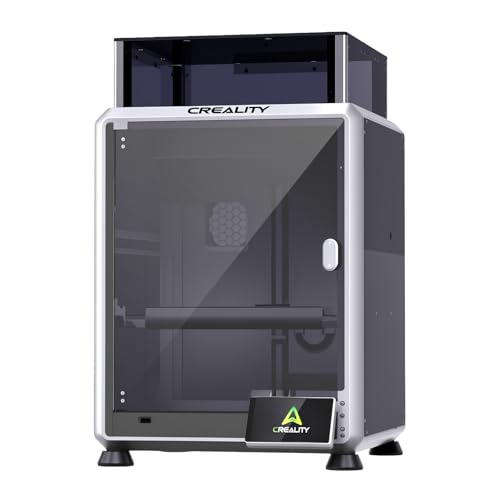
Are you a creator, small business owner, or hobbyist looking to elevate your engraving projects? The Creality Falcon A1 Pro series promises professional-grade results with user-friendly features. This Creality Falcon A1 Pro review will help you navigate the options, from the powerful 20W bundle with an infrared module to the versatile 10W models. Whether you are engraving jewelry, cutting acrylic, or personalizing gifts, understanding these machines is key to making a smart investment. We have evaluated each model to see which fits your workflow best in 2026.
In this guide, we break down the key features, performance, and value of four Falcon A1 series machines. We will also share practical buying advice and answer common questions. If you are curious about other Creality models, check out our creality falcon 10W pro review for a comparative perspective.


Buying Guide: What to Consider in a Laser Engraver
Laser Power and Material Compatibility
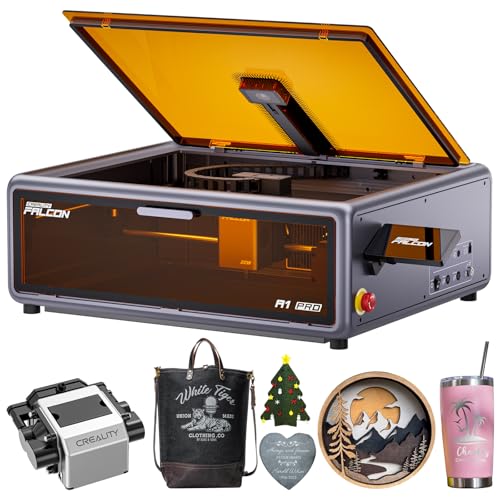
The power of the laser diode directly determines what materials you can cut and engrave. The 20W blue laser in the Falcon A1 Pro can cut through 10 mm basswood and 8 mm black acrylic with ease. For finer work on metals and plastics, the 2W infrared module (available as a bundle) offers superior detail with a 0.03 mm spot. In contrast, the 10W models are ideal for lighter engraving on wood, leather, and anodized aluminum. Choose based on your primary materials: heavy cutting demands 20W, while detailed engraving on varied surfaces benefits from the IR option.
For a broader look at power options, read our creality falcon 10W laser module review for more insights on 10W performance.
Ease of Use and Automation
Modern laser engravers should simplify your workflow. The Falcon A1 Pro features a smartphone-style touchscreen and app control for real-time monitoring and cable-free operation. Its HD camera and autofocus system automatically adjust the focal point in seconds, ensuring precise results every time. The Falcon A1 10W models go a step further with smart material recognition, automatically setting optimal parameters for your chosen material. If you value time savings and minimal setup, these automated features are invaluable.
The Falcon A1 series is also pre-assembled, so you can start engraving right out of the box. For hobbyists, this convenience is a major plus. Explore the diode laser engravers category to compare other user-friendly options.
Safety and Workspace Integration
Safety is non-negotiable, especially in shared or home workspaces. All Falcon A1 models are Class 1 laser products, meaning they are fully enclosed and filter 99% of laser light, eliminating the need for goggles. The enclosed design also reduces smoke and noise, with an internal fan for efficient exhaust. Features like an emergency stop button and lid-open auto-pause add peace of mind. The double-door design on the A1 10W models makes loading and unloading materials easy, while the A1 Pro offers a sleek, enclosed build that fits neatly on a desk.
For a comparison with other safe, enclosed engravers, see our ATOMSTACK 20W laser engraver review.
Software and Compatibility
The software ecosystem can make or break your experience. Creality’s Falcon Design Space offers intuitive control over model selection, printing, and monitoring. The Falcon A1 10W models also support popular third-party software like LightBurn and LaserGRBL, giving you flexibility in design and workflow. If you use advanced design tools, compatibility with these programs is essential. The A1 Pro’s app control adds convenience for remote monitoring, while the 10W’s smart material recognition simplifies the process for beginners.
For more on software integration, check our guide on the best laser engraver for business cards, which discusses design workflow.
Final Thoughts
Choosing the right Creality Falcon A1 model depends on your specific needs. For those who demand maximum versatility and precision, the Creality Falcon A1 Pro 20W Laser Engraver Bundle with its dual laser modules is the ultimate choice, tackling everything from cutting acrylic to engraving jewelry with unmatched detail. If you are a hobbyist or small business focused on wood and leather projects, the Creality Falcon A1 10W Laser Engraver Bundle offers a fantastic balance of power, automation, and value, especially with the included rotary roller for cylindrical items. Both machines deliver professional results with safety and ease, making them top contenders in the diode laser engraver market for 2026.
Frequently Asked Questions
Can the Creality Falcon A1 Pro engrave metal?
Yes, but with the optional 2W infrared laser module. The 20W blue laser can mark anodized aluminum and some coated metals, but for deep engraving on bare metals like stainless steel or titanium, the IR module is required. The bundle includes this module for immediate metal engraving capability.
Is the Falcon A1 Pro safe to use indoors?
Absolutely. It is a Class 1 laser product, meaning it is fully enclosed and designed to contain laser radiation. The dual protective covers filter 99% of light, so you do not need safety glasses. The internal fan and enclosed design also reduce smoke and noise, making it suitable for home offices or workshops.
What software do I need for the Falcon A1 Pro?
The machine works with Creality’s Falcon Design Space, which offers intuitive controls and real-time monitoring. It is also compatible with popular third-party software like LightBurn and LaserGRBL, giving you flexibility for advanced designs. The app control allows remote operation from your smartphone.
How fast is the Falcon A1 Pro compared to other engravers?
The Falcon A1 Pro can reach speeds up to 600 mm/s, which is about three times faster than many competitors in its class. This speed, combined with its autofocus and camera positioning, makes it efficient for batch production. For speed comparisons, see our best laser engraver for badges article, which evaluates engraving speed for small items.