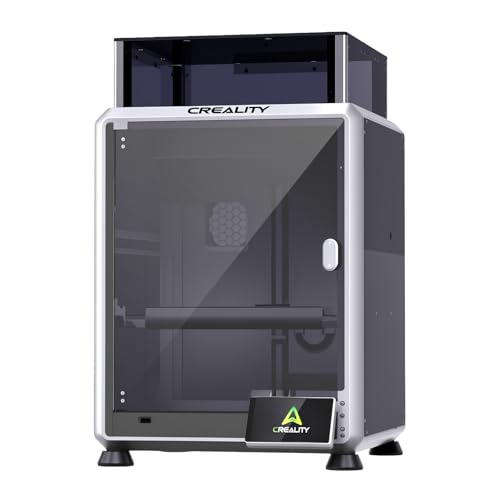
You are ready to take your crafting or small business to the next level, but the sheer number of laser engravers on the market can be overwhelming. You need a machine that delivers precise cuts, handles a variety of materials, and doesn’t break the bank. This Creality 10W engraving machine review will help you navigate the top models from Creality, focusing on performance, safety, and ease of use.
We have evaluated the Creality Falcon series and other 10W variants to bring you a comprehensive comparison. Whether you are a beginner or a professional, this guide will help you choose the right tool for your projects, from custom gifts to intricate signage.


Buying Guide: What to Look for in a 10W Laser Engraver
Laser Power and Cutting Capability
The laser power, often expressed in watts, determines how fast and thick materials you can cut or engrave. A 10W output is a sweet spot for hobbyists, capable of cutting through wood, acrylic, and leather with ease. Look for models that specify the maximum cutting thickness, like the Creality Falcon 10W, which can cut 12mm wood in one pass.
Higher power also means faster engraving speeds, which is crucial if you plan to produce items in bulk. For a deeper dive into higher-power options, check our ATOMSTACK 20W review to see how they compare.
Workspace and Precision
The working area dictates the maximum size of the material you can process. Most Creality 10W models offer a generous workspace around 15.7 x 16.3 inches, which is ample for most projects. Precision is equally important, with a fine laser spot of 0.06mm ensuring detailed engravings.
If you frequently work on larger pieces, consider a model with a bigger bed. For those who need versatility, the best laser engraver with rotary attachment guide can help you engrave cylindrical objects like tumblers.
Safety Features
Laser engravers are powerful tools, and safety should never be an afterthought. Look for features like emergency stop buttons, protective enclosures, and anti-UV filters. Some models, like the Creality Falcon A1, are fully enclosed and Class 1 certified, meaning they are safe to use without goggles.
For a more in-depth look at safety in the Falcon series, read our creality falcon A1 pro review. It highlights the importance of these features in real-world use.
Software and Compatibility
The software you use can make or break your experience. Most Creality machines are compatible with LightBurn and LaserGRBL, which are industry standards. Some newer models, like the Falcon A1, come with their own software that simplifies the process with features like auto-focus and material recognition.
If you are new to laser engraving, a machine with intuitive software will reduce the learning curve. The creality falcon 10W laser module review offers additional insights into software compatibility.
Final Thoughts
After evaluating these Creality 10W engraving machines, we recommend the Creality Falcon 10W Laser Engraver Machine for its balance of power and affordability, making it ideal for beginners and hobbyists. For those who prioritize safety and convenience, the Creality Falcon A1 10W Laser Engraver stands out with its fully enclosed design and smart features, perfect for a home office or small business. Both offer exceptional value, but your choice should align with your specific needs and workspace.
Frequently Asked Questions
Can a 10W laser engraver cut metal?
Yes, a 10W laser can engrave on metal, but it cannot cut through it. It can mark or etch coated metals like anodized aluminum, but for cutting metal, you would need a much higher power laser, such as a fiber laser.
What materials can a Creality 10W laser engraver handle?
These machines are versatile, handling wood, acrylic, leather, paper, plastic, and even glass. They can engrave on most materials, but cutting is limited to materials that do not melt or emit toxic fumes, like wood and dark acrylic.
Is the Creality Falcon A1 safe for indoor use?
Yes, the Falcon A1 is a Class 1 laser product, meaning it is fully enclosed and designed to be safe for indoor use without additional protective gear. It also features an automatic pause when the lid is opened, adding an extra layer of safety.
Do I need to assemble the Creality 10W engravers?
Most models require some assembly, usually taking 10 to 20 minutes. However, the Falcon A1 comes pre-assembled, so you can start engraving right out of the box. Always follow the manual for your specific model to ensure proper setup.