🔥 3D Printer Black Friday Deals: picks worth watching →
You have just unboxed your first desktop CO2 laser engraver, and the possibilities feel endless. But which model actually delivers on its promises without breaking your budget? This OMTech K40 review covers three popular variants of the OMTech K40+ 45W laser engraver and cutter, so you can decide which one fits your creative or commercial needs in 2026. Whether you are a hobbyist looking to personalize gifts or a small business owner scaling up production, this guide will walk you through the key differences and help you make an informed choice. For a broader look at the category, check out our guide to the best CO2 laser machine.


Buying Guide
Laser Power and Cutting Performance
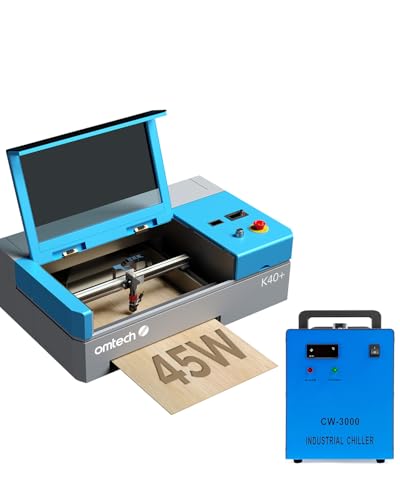
The heart of any CO2 laser engraver is its laser tube. All three OMTech K40+ models in this review feature an upgraded 45W laser, which slices through 0.4-inch acrylic and 0.31-inch wood with ease. This power boost translates to cutting speeds 1.5 to 2 times faster than earlier 40W models, along with 15 to 20 percent greater depth. If you plan to work with thicker materials or need faster turnaround for bulk orders, the 45W output is a significant advantage.
Work Area and Versatility
A compact 12-by-8-inch workspace might seem modest, but it is ideal for desktop setups and small workshops. The honeycomb bed supports flat materials, while the detachable base and optional rotary axis allow engraving on cylindrical objects like tumblers or wine glasses. This flexibility is crucial if you want to expand your product range without upgrading to a larger machine. For more details on workspace considerations, see our roundup of the best desktop laser engraving machines.
Software Compatibility and Ease of Use
All three models support LightBurn and LaserGRBL, two of the most popular laser control software platforms. This means you can design intricate patterns, adjust settings, and run jobs with precision. The OMTech K40+ 45W CO2 Laser Engraver & Cutter with LightBurn (ASIN B0F4QYMXV5) comes pre-loaded with LightBurn, which simplifies setup for beginners. If you are new to laser engraving, our beginner’s guide on how to use a laser engraver can help you get started.
Safety and Support Features
Safety is non-negotiable when working with a laser cutter. These OMTech machines include door and water protection, an emergency stop function, and a flame-retardant acrylic panel. The built-in air assist system automatically adjusts airflow based on laser power, clearing smoke and debris while reducing fire risk. Additionally, OMTech offers 24/7 global support and a two-year comprehensive service plan, which adds peace of mind for both hobbyists and small businesses.
Final Thoughts
After evaluating these three OMTech K40+ models, we recommend the OMTech K40+ 45W Desktop CO2 Laser Engraver for users who want the full safety suite and integrated air assist at a competitive price, while the OMTech K40+ 45W CO2 Laser Engraver & Cutter is ideal for beginners who prefer having LightBurn pre-installed for a smoother start. Both deliver reliable 45W performance and a compact footprint that fits most workspaces.
Frequently Asked Questions
What materials can the OMTech K40+ cut and engrave? It handles wood, acrylic, glass, leather, paper, and some plastics up to 0.4 inches thick for acrylic and 0.31 inches for wood. It is not suitable for metals or reflective surfaces.
Do I need to assemble the OMTech K40+ out of the box? Yes, some assembly is required, including mounting the laser tube, connecting the water cooling system, and aligning the mirrors. The process takes about one to two hours, and OMTech provides detailed instructions.
Is the OMTech K40+ suitable for commercial use in 2026? Absolutely. The 45W laser, 300 mm/s engraving speed, and software compatibility make it a solid choice for small businesses producing personalized items, signage, or prototypes. For larger production volumes, you might consider a machine with a bigger work area.
How do I maintain the OMTech K40+ laser tube? Keep the water cooling system clean and use distilled water to prevent mineral buildup. Regularly check the lens and mirrors for debris, and replace the exhaust filter as needed. OMTech’s support team can guide you through routine maintenance.