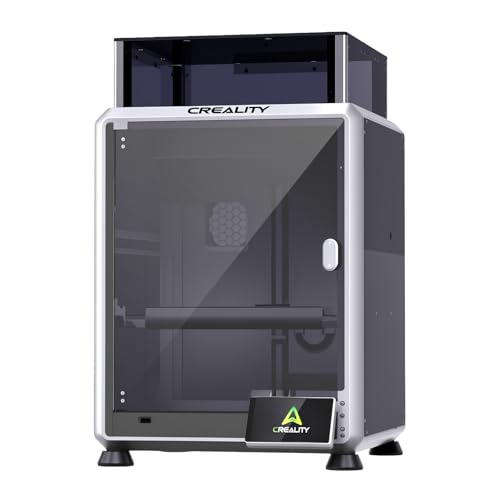
Imagine bringing your colorful ideas to life right in your home office or living room. Whether you want to print vibrant toys, custom home decor, or detailed prototypes, a multi color 3D printer opens up a world of creative possibilities. This guide reviews the best multi color 3D printer for home in 2026, covering seven top models from leading brands like FLASHFORGE, Creality, Bambu Lab, and Snapmaker. We focus on speed, ease of use, color capabilities, and print quality to help you choose the perfect machine for your home projects. For more insights on high-performance printing, check out our Best 3D Printer for Quality and Speed in 2026 guide.





Buying Guide: What to Look for in a Home Multi Color 3D Printer
Color Capabilities and Number of Colors
For home use, the ability to print in multiple colors without manual filament swaps is key. Look for printers that support at least four colors simultaneously, like the FLASHFORGE AD5X or the Bambu Lab P1S Combo. Some advanced models, such as the Creality K2 Plus Combo, can handle up to 16 colors with multiple CFS units, giving you even more creative freedom for complex projects like cosplay props or detailed art pieces.
Also consider whether the printer uses a toolchanger system or a filament swapping system. Toolchanger models like the Snapmaker U1 and FLASHFORGE Creator 5 minimize waste and speed up color changes, making them ideal for frequent multi-color prints at home. For a deeper dive into beginner-friendly options, see our best 3D printer for beginners adults guide.
Print Speed and Build Volume
Home users often want fast prints without sacrificing quality. Most modern multi color 3D printers offer speeds of 500-600 mm/s, with CoreXY designs providing stability at high speeds. The FLASHFORGE AD5X and Creality K2 Pro (A) both reach 600 mm/s, while the Bambu Lab P1S Combo hits 500 mm/s. For larger projects, consider the build volume: the Creality K2 Plus Combo offers a massive 350x350x350mm, while the FLASHFORGE Creator 5 provides a generous 256x256x256mm. If you need to print large cosplay armor pieces, our Best 3D Printer for Cosplay Armor article has more recommendations.
Ease of Setup and Use
For a home environment, you want a printer that’s easy to set up and operate. Look for features like auto-leveling, automatic filament loading, and user-friendly software. The Bambu Lab P1S Combo boasts a 15-minute setup time, while the FLASHFORGE AD5X offers 1-click auto leveling and remote app control. The Snapmaker U1 includes a built-in model library and smart calibration, making it beginner-friendly. If you’re new to 3D printing, our Best 3D Printer for Beginners Cheap guide can help you get started.
Material Compatibility and Waste Reduction
Home users often experiment with different materials. Ensure the printer supports common filaments like PLA, PETG, and TPU, as well as more advanced options like ABS or carbon-fiber composites. Models with enclosed chambers, like the Creality K2 Pro (A) and Bambu Lab P1S Combo, handle engineering-grade materials better. Waste reduction is also important: toolchanger systems like those in the Snapmaker U1 and FLASHFORGE Creator 5 produce near-zero waste during color changes, saving you money and reducing environmental impact.
Final Thoughts
After evaluating these top multi color 3D printers, we believe the FLASHFORGE AD5X Multi-Color 3D Printer is an excellent choice for home users who want a balance of speed, ease of use, and vibrant color printing at an accessible price point. For those who need larger build volumes and advanced material handling, the Creality K2 Plus Combo 3D Printer stands out with its massive 350mm build area and 16-color capability, making it perfect for ambitious projects. Both models offer reliable performance and smart features that simplify the printing process, so you can focus on creating.
Frequently Asked Questions
Can I print in multiple colors without manual filament changes?
Yes, many modern multi color 3D printers like the FLASHFORGE AD5X and Bambu Lab P1S Combo support automatic color switching through built-in filament systems or toolchangers. These systems handle color changes seamlessly during the print, so you don’t need to manually swap filaments.
How much waste do multi color 3D printers produce?
Waste varies by technology. Toolchanger models like the Snapmaker U1 and FLASHFORGE Creator 5 produce near-zero waste because they swap entire toolheads instead of purging filament. Filament-swapping systems, like those in the Bambu Lab P1S Combo, generate some waste during color changes, but modern designs have minimized this significantly.
What materials can I use with a home multi color 3D printer?
Most home multi color 3D printers support PLA, PETG, and TPU. Advanced models with enclosed chambers, such as the Creality K2 Pro (A) and Creality K2 Plus Combo, can also handle ABS, ASA, and carbon-fiber composites. Always check the printer’s specifications for material compatibility before purchasing.
Is a multi color 3D printer suitable for beginners in 2026?
Yes, many multi color 3D printers are designed with beginners in mind. Models like the FLASHFORGE AD5X and Bambu Lab P1S Combo offer auto-leveling, simple setup, and user-friendly software. The Snapmaker U1 even includes a built-in model library and smart calibration to help new users get started quickly. For more beginner-focused options, check out our guide on the Best 3D Printer for Beginners Cheap.