Imagine spending hours painting a tiny goblin, only to realize its sword snapped off during the game. That frustration is all too common when your 3D printer can’t handle fine details. For Dungeons & Dragons enthusiasts, a reliable printer means the difference between a memorable boss fight and a pile of broken plastic.
In this guide, we’ve evaluated the best 3D printer for DnD miniatures across resin and FDM technologies. Whether you’re a dungeon master crafting terrain or a player printing a custom hero, we’ve got you covered. We’ll break down the top models, key features, and what to look for before you hit that print button.


Buying Guide: What to Look For in a Miniature 3D Printer
Resolution and Detail: The Heart of Miniature Printing
For miniatures, detail is king. Resin printers like the ELEGOO Saturn 4 Ultra 16K Resin 3D Printer offer stunning XY resolution down to 14 microns, capturing every scale texture and facial expression. FDM printers, while improving, may struggle with very fine features unless you upgrade to a smaller nozzle.
Consider the layer height and pixel size. For DnD miniatures, a resin printer with 4K or higher resolution is ideal. If you prefer FDM, look for models with direct-drive extruders and the ability to use a 0.25mm nozzle for finer details, like the FLASHFORGE AD5X.
Build Volume: From Tiny Goblins to Large Terrain
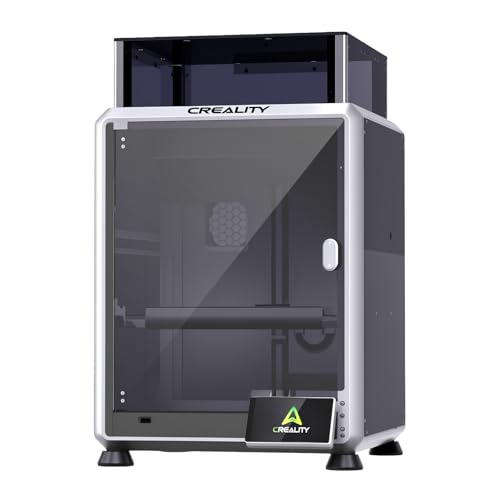
Think about what you’ll print. A standard 28mm miniature fits in almost any printer, but dragon figurines or dungeon tiles need more space. The Creality K2 Combo (A) 3D Printer offers a generous 260 x 260 x 260 mm build volume, allowing you to print large pieces in one go.
Resin printers often have smaller build plates, but the ELEGOO Saturn 4 Ultra provides a decent 8.33 x 4.66 x 8.66 inches. For terrain, FDM is usually better due to larger volumes and lower material costs.
Ease of Use: Leveling, Setup, and Maintenance
You want to spend time playing, not troubleshooting. Look for features like auto-leveling, which is standard on many modern printers. The Anycubic Kobra X Multicolor 3D Printer has LeviQ 3.0 auto-leveling for a flawless first layer every time.
Resin printers require more post-processing, including washing and curing. FDM printers are generally simpler for beginners. Consider your comfort level with maintenance and cleanup when making a choice.
Speed and Efficiency: More Time for Gaming
Printing a full party of adventurers can take time. High-speed FDM printers like the FLASHFORGE AD5X Multi-Color 3D Printer can hit 600mm/s, drastically reducing wait times. Resin printers have improved too, with the ELEGOO Saturn 4 Ultra boasting 150mm/h print speeds.
If you’re printing multiple minis, consider a printer with a large build plate or multicolor capabilities to streamline your workflow. The Anycubic Kobra X can handle up to 19 colors with multiple ACE units, letting you print several figures in one run.
Final Thoughts
Choosing the best 3D printer for DnD miniatures comes down to your priorities. If you crave ultra-fine details and are willing to handle resin’s post-processing, the ELEGOO Saturn 4 Ultra 16K Resin 3D Printer is a top contender. For those who prefer speed, ease, and multicolor convenience, the FLASHFORGE AD5X Multi-Color 3D Printer offers outstanding value. Both options will elevate your tabletop experience, bringing your characters to life with stunning precision.
Frequently Asked Questions
What is the best 3D printer for DnD miniatures for beginners?
For beginners, FDM printers are often more approachable. The Anycubic Kobra X Multicolor 3D Printer offers easy setup, auto-leveling, and a user-friendly interface, making it a great starting point. If you’re open to resin, the ELEGOO Saturn 4 Ultra also has automatic leveling and a smart monitoring system to simplify the process.
Is resin or FDM better for miniatures?
Resin printers generally produce higher detail and smoother surfaces, making them ideal for small miniatures. FDM printers are better for larger terrain and props, and they’re easier to use with multiple colors. For purely DnD miniatures, resin is often the top choice, but modern FDM printers like the FLASHFORGE AD5X can also deliver excellent results with the right settings.
How much does it cost to 3D print a miniature?
The cost per miniature varies. FDM filament is cheaper, but resin can be more expensive per print. However, the investment in a printer pays off over time if you print regularly. For example, a single resin miniature might cost a few cents to a dollar in material, while FDM could be less. Consider the initial printer price and ongoing material costs.
Can I print multicolor miniatures with a single printer?
Yes, many modern FDM printers support multicolor printing. The Creality K2 Combo (A) 3D Printer can handle up to 16 colors with four CFS units, and the Anycubic Kobra X can expand to 19 colors. For resin, multicolor is more complex, but you can paint over prints or use multiple resins manually. Multicolor FDM is a convenient way to add detail without painting.