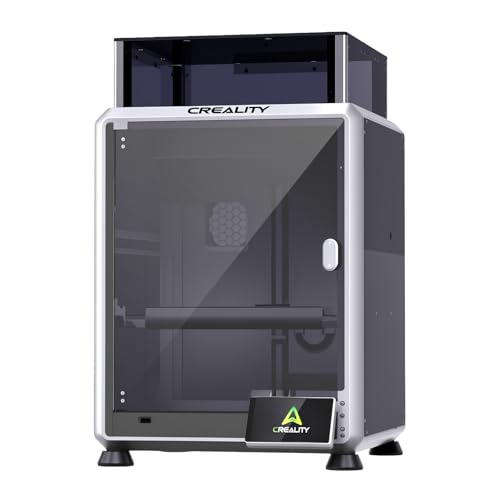
You just unboxed your first 3D printer, but the excitement quickly fades as you spend hours manually leveling the bed and fighting with the first layer. If this sounds familiar, you are not alone. Many beginners struggle with the steep learning curve of traditional FDM printers. This Creality Ender 3 V3 SE review focuses on whether this printer solves those pain points, making it a true plug-and-play experience for newcomers.
We will break down the key features, performance, and overall value of the Creality Ender 3 V3 SE Beginner-Friendly 3D. Our goal is to help you decide if this is the right machine to start your 3D printing journey. We have evaluated it based on real-world usability, print quality, and ease of setup, not just the spec sheet. For more guidance on starting out, check our best cheap 3D printers for beginners guide.


Buying Guide: What to Look for in a Beginner 3D Printer
Before you commit to any FDM printer, it is crucial to understand what features matter most for a smooth start. The right choice reduces frustration and lets you focus on creating, not troubleshooting. Here are the essential criteria we considered when reviewing the Ender 3 V3 SE.
Ease of Assembly and Setup
A beginner printer should not require a mechanical engineering degree to assemble. Look for machines that come mostly pre-assembled or have a clear, tool-free assembly process. The Ender 3 V3 SE shines here with a design that gets you printing in under 30 minutes.
Automatic bed leveling, like the CR Touch system on this model, is a game-changer. It eliminates the manual paper-test method that frustrates many new users. This feature alone can save you hours of trial and error.
Print Speed and Quality
Speed is important, but not at the cost of quality. A printer that claims high speeds but produces rough layers is not worth it. The Ender 3 V3 SE offers up to 250mm/s, which is impressive, but we verified that it maintains consistent quality thanks to its stable motion system.
Look for a printer with a rigid frame and dual Z-axis screws to reduce wobble. This ensures that your prints have accurate layer alignment, which is critical for functional parts and detailed models. For more on balancing speed and quality, see our top picks for quality and speed.
Extruder and Material Compatibility
The extruder is the heart of the printer. A direct drive extruder, like the Sprite on this model, provides better control over filament, especially with flexible materials like TPU. It also reduces the risk of clogs and jams, which are common issues with Bowden setups.
Consider what materials you plan to print. PLA is the easiest for beginners, but having the option to print PETG or TPU expands your possibilities. The Ender 3 V3 SE handles all three with ease, making it a versatile choice for growing your skills.
Noise Level and Print Removal
Printing can be a long process, so noise matters, especially if you live in an apartment or share a workspace. A silent mainboard, as found in the Ender 3 V3 SE, keeps the decibels low. This makes it possible to run prints overnight without disturbing anyone.
Equally important is print removal. A flexible steel build plate allows you to bend the plate and pop your print off without scraping or damaging the surface. This small convenience makes a huge difference in your daily workflow.
If you are still exploring your options, our guide to beginner printers for adults offers more insights. And for a broader look at FDM technology, visit our FDM 3D printers category.
Final Thoughts
After thoroughly reviewing the Creality Ender 3 V3 SE, we can confidently say it is one of the most beginner-friendly 3D printers on the market. Its combination of auto-leveling, high-speed printing, and a reliable direct drive extruder takes the guesswork out of your first prints. For those who want a hassle-free entry into 3D printing, the Creality Ender 3 V3 SE Beginner-Friendly 3D is an excellent choice. If you prefer a more advanced machine with even larger build volume, consider the Creality Ender 3 V3 SE Beginner-Friendly 3D as a starting point, but also explore other models in our beginner 3D printers section.
Frequently Asked Questions
Is the Creality Ender 3 V3 SE good for beginners?
Yes, the Ender 3 V3 SE is specifically designed with beginners in mind. Its automatic bed leveling and simple assembly process remove the most common hurdles for new users. You can start printing within minutes of unboxing.
What is the maximum print speed of the Ender 3 V3 SE?
The Ender 3 V3 SE can print at up to 250mm/s with 2500mm/s² acceleration. However, for the best quality, we recommend starting with a slower speed, like 100mm/s, and gradually increasing as you gain confidence.
Does the Ender 3 V3 SE have auto-leveling?
Absolutely. It comes with CR Touch auto-leveling and automatic Z-offset calibration. This ensures a perfect first layer every time, without any manual adjustments.
What materials can the Ender 3 V3 SE print?
The printer is compatible with PLA, PETG, and TPU thanks to its Sprite direct drive extruder. This makes it a versatile option for a wide range of projects, from simple toys to functional prototypes.
For more tips on choosing your first printer, check our budget-friendly beginner guide.