You have been eyeing a resin 3D printer for months, but the choice feels overwhelming. The Anycubic Photon Mono M7 series has been generating buzz for its speed and precision, but which model fits your workshop? This review breaks down the M7 Pro, M7 Max, and essential accessories to help you decide without the guesswork.
Whether you are a hobbyist crafting miniatures or a professional prototyping parts, the Photon Mono M7 line promises to deliver. We have evaluated the specs, features, and practical accessories that can make or break your printing experience. Let’s dive into what makes these printers stand out in 2026.


Buying Guide: What to Look for in a Resin 3D Printer
Print Speed: How Fast Is Fast Enough?
Speed is a game-changer in resin printing. The Anycubic Photon Mono M7 Pro achieves an impressive 170mm/h with high-speed resin, while the M7 Max reaches 60mm/h. If you are producing multiple miniatures or prototypes, faster speeds mean more finished parts in less time.
However, speed should not compromise quality. The M7 Pro’s advanced light-off compensation ensures each layer cures correctly, even at high velocities. For a deep dive into speed versus detail, check our best resin 3D printer guide for comparisons.
Resolution and Detail: The 14K Advantage
Resolution determines the finest details your printer can reproduce. The M7 Pro boasts a 14K LCD with 13312×5120 pixels, capable of printing holes as small as 0.3mm. The M7 Max offers 7K resolution, which is still excellent for most applications but not as fine as the Pro.
For miniature painters, the M7 Pro’s XY resolution of 24.8 microns delivers crisp edges and smooth surfaces. If you are new to resin printing, our best resin printer for miniatures article offers additional insights.
Build Volume: Size Matters
Build volume limits the size of your prints. The M7 Max offers a massive 298x164x300mm build area, allowing you to print large models in one piece. The M7 Pro, with a 10.1-inch screen, is more compact but still handles most projects.
If you plan to print large statues or functional parts, the M7 Max’s volume is a clear winner. Beginners might prefer the smaller footprint of the M7 Pro. For a broader perspective, see our beginner’s guide to resin printers.
Smart Features and Resin Management
Modern resin printers come with intelligent features that simplify printing. The M7 Pro includes dynamic temperature control, resin auto-fill, and six types of detection, including failed print and resin level monitoring. The M7 Max offers similar conveniences, such as a temperature-controlled resin vat and suspension drip.
These features reduce failed prints and save resin, making them worth the investment. For a comparison with other brands, our ELEGOO saturn 4 ultra review provides an alternative viewpoint.
Final Thoughts
In summary, the Anycubic Photon Mono M7 series offers exceptional speed, precision, and user-friendly features. For those who prioritize ultra-fine detail and rapid production, the ANYCUBIC Photon Mono M7 Pro 14K Resin 3D Printer is our top pick. If you need a larger build volume for big projects, the ANYCUBIC Resin 3D Printer (M7 Max) delivers excellent performance. Both models are backed by a range of accessories to enhance your workflow.
Frequently Asked Questions
What is the difference between the Photon Mono M7 and M7 Pro?
The M7 Pro offers a higher 14K resolution and faster printing speeds (170mm/h) compared to the standard M7, which typically has 12K resolution and lower speed. The Pro also includes advanced features like dynamic temperature control and resin auto-fill.
Is the M7 Max suitable for large-scale prints?
Yes, the M7 Max has a build volume of 298x164x300mm, making it ideal for large models and batch printing. Its 7K resolution still provides excellent detail for most applications.
Do I need a special resin vat for the M7 Pro?
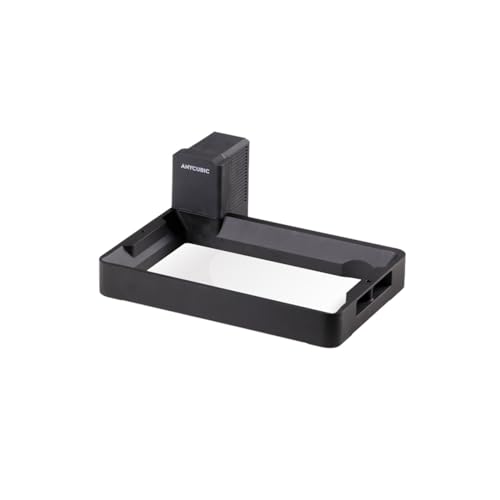
The M7 Pro works with standard resin vats, but the Anycubic Intelligent 3D Resin Vat for Photon Mono offers temperature control that optimizes printing conditions. It is a recommended accessory for consistent results, especially in cooler environments.
How often should I replace the ACF film on my resin printer?
ACF film lifespan varies with usage, but typically it should be replaced after 10,000 to 20,000 layers or when you notice print quality degradation. The M7 Pro includes release film lifespan management to alert you when it’s time for a change.