

🔥 3D Printer Black Friday Deals: picks worth watching →
You have a workshop or home studio, and you want to add laser engraving to your creative toolkit. But with so many desktop laser engraving machines on the market, finding the best one for your needs can feel overwhelming. This guide reviews the top desktop laser engraving machines for 2026, covering everything from beginner-friendly models to powerful dual-laser systems, so you can make an informed choice. Whether you are crafting custom gifts, starting a side hustle, or scaling up production, we have you covered. For a deeper dive into getting started, check out our beginner’s guide to laser engraving.





Buying Guide
Laser Power and Material Compatibility
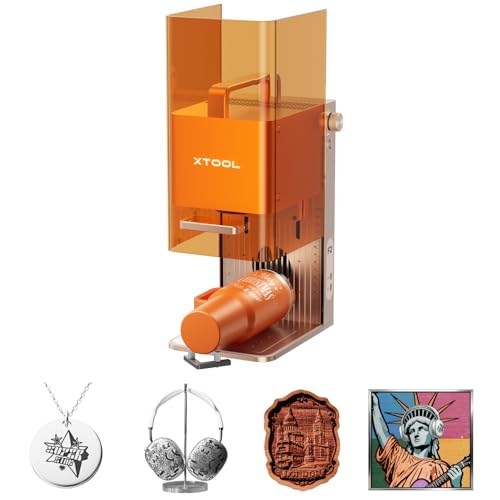
Laser power, measured in watts (W), directly affects what materials you can engrave or cut. A 5W diode laser is great for wood, leather, and coated metals, while a 10W or 15W model can cut thicker materials like acrylic and plywood. CO2 lasers, like the xTool P2S, offer even more power for cutting through acrylic and wood up to 20mm. Consider what materials you plan to use most frequently, and choose a machine that matches your needs. For a comparison of two popular brands, read our xTool vs OMTech.
Ease of Use and Software
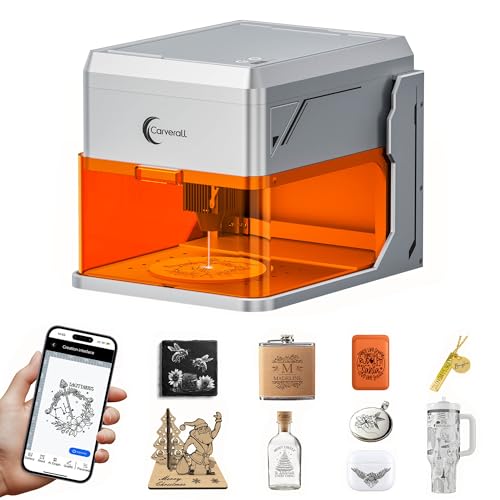
Not all laser engravers are created equal when it comes to setup and software. Look for machines that offer beginner-friendly software like LightBurn, LaserGRBL, or proprietary apps with AI features. Models with built-in cameras, like the xTool M2 and Carverall A1 Pro, allow you to preview and position designs precisely, reducing material waste. If you are new to laser engraving, a machine with a simple workflow and community support will make your learning curve much smoother.
Safety Features
Safety is paramount, especially if you are working in a home or shared space. Class 1 enclosed machines, like the Carverall A1 Pro and xTool M2, are fully sealed and stop the laser when the lid opens, making them safe for use around kids and pets. Class 4 machines, like the xTool F2, offer more power but require additional safety precautions. Always check for features like auto shut-off, fire detection, and fume extraction to ensure a safe working environment.
Work Area and Portability
The size of the engraving area determines the scale of projects you can tackle. Compact machines with work areas around 4×4 inches are perfect for small items like dog tags and jewelry, while larger beds (e.g., 26×14 inches on the xTool P2S) allow for bigger creations. If you need to move your machine between locations or store it away, consider portable or foldable designs like the Artilume T1-P. For a review of a portable option, see our wizmaker wand mini review.
Final Thoughts
Choosing the best desktop laser engraving machine ultimately depends on your specific projects and budget. For beginners and hobbyists who want a safe, easy-to-use machine with excellent precision, the Carverall A1 Pro 5W Desktop Laser Engraver offers incredible value with its camera-based positioning and AI software. If you need more power and versatility for cutting thicker materials and expanding your product line, the xTool P2S 55W CO2 Laser Cutter is a top-tier investment that delivers professional-grade results. Both machines represent the best in their class for 2026.
Frequently Asked Questions
What is the best desktop laser engraving machine for beginners?
For beginners, the Carverall A1 Pro 5W and the xTool M2 10W are excellent choices. They offer enclosed Class 1 safety, user-friendly software, and built-in cameras for easy positioning. These machines require minimal setup and come with supportive communities, making them ideal for learning the craft in 2026.
Can a desktop laser engraver cut metal?
Standard diode lasers cannot cut metal, but they can engrave coated or anodized metal surfaces. For marking bare metal, you need an infrared (IR) laser module, like the one included in the xTool F2. CO2 lasers can also engrave on metal with the right coating. For more detail, read our xTool P2S working area review.
How much power do I need for cutting wood?
For cutting thin wood (up to 4mm), a 5W diode laser will work but may require multiple passes. A 10W laser can cut through 5mm basswood or 3mm acrylic in a single pass. For thicker materials (up to 18mm), a CO2 laser like the xTool P2S is recommended. Always check the manufacturer’s specifications for material thickness.
Is it safe to use a laser engraver indoors?
Yes, but you need to ensure proper ventilation. Many desktop models come with built-in exhaust fans and air assist to remove fumes. Class 1 enclosed machines are the safest for indoor use as they prevent accidental laser exposure. Adding an air purifier can further improve air quality, especially for materials like acrylic that produce strong odors.


